
Run a demo application#
This section describes the steps to download the flash.bin to sd and emmc, run the example applications provided in the MCUXpresso SDK. The hello_world_sm demo application targeted for the i.MX 943 hardware platform is used as an example, although these steps can be applied to any example application in the MCUXpresso SDK.
Run an example application#
For more information on debug probe support in the MCUXpresso IDE, see community.nxp.com.
To download and run the application, perform the following steps:
Ensure the host driver for the debugger firmware has been installed.
Connect the development platform to your PC via a USB cable.
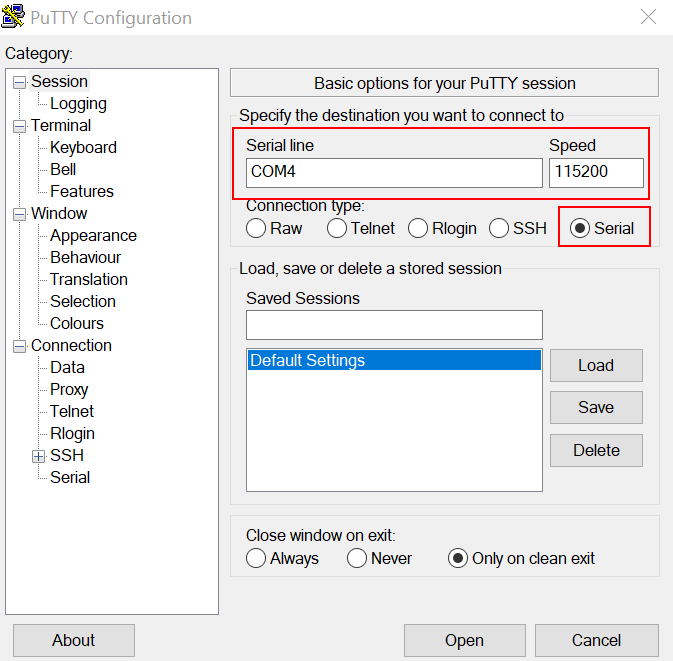
Open the terminal application on the PC, such as PuTTY or TeraTerm, and connect to the debug serial port number (to determine the COM port number, see How to determine COM port. Configure the terminal with these settings:
115200 or 9600 baud rate, depending on your board (reference
BOARD_DEBUG_UART_BAUDRATEvariable inboard.hfile)No parity
8 data bits
1 stop bit
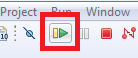
On the Quickstart Panel, click Debug to launch the debug session.
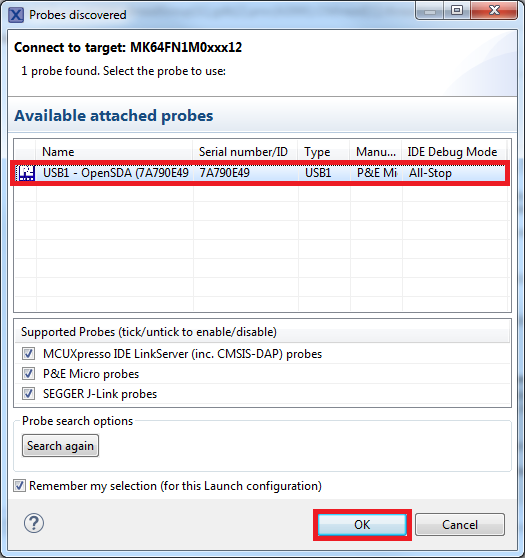
The first time you debug a project, the Debug Emulator Selection dialog is displayed, showing all supported probes that are attached to your computer. Select the probe through which you want to debug and click OK. (For any future debug sessions, the stored probe selection is automatically used, unless the probe cannot be found.)
The application is downloaded to the target and automatically runs to
main().Start the application by clicking Resume.
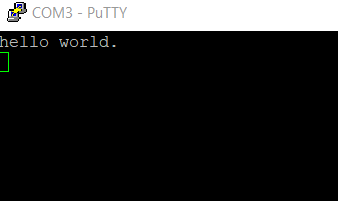
The hello_world application is now running and a banner is displayed on the terminal. If not, check your terminal settings and connections.
Generate a flash.bin#
Get basic images and the imx-mkimage source repository from corresponding Linux BSP release. These below basic images can to be put into imx-mkimage/iMX94:
- oei-m33-ddr.bin- m33_image.bin (m33_image-mx94alt.bin: the image is generated by the command - make config=mx94alt all;m33_image-mx94evk.bin: the image is generated by the command - make config=mx94evk all)- m70_image.bin (demo binary name for cortex-m7 core0 in M70 MIX)- m71_image.bin (demo binary name for cortex-m7 core1 in M71 MIX)- m33s_image.bin (demo binary name for cortex-m33 core1 in NETC MIX)- <lpddr type name>_dmem_qb_v202409.bin(lpddr type name: lpddr5 or lpddr4x)- <lpddr type name>_dmem_v202409.bin- <lpddr type name>_imem_qb_v202409.bin- <lpddr type name>_imem_v202409.bin- u-boot.bin- u-boot-spl.bin- bl31.bin- tee.bin- mx943a0-ahab-container.imgNote:
mx943evk for
m33_image.binis used forrpmsg str echo,rpmsg ping pongandpower_mode_switch_rtos.mx943alt for
m33_image.binis used for almost other examples.
Copy binary built by ARMGCC/IAR into imx-mkimage/iMX94, and rename them to m70_image.bin/m71_image.bin/m33s_image.bin.
Generate flash.bin.
make SOC=iMX94 OEI=YES flash_all LPDDR_TYPE=lpddr5(Boot up Cortex-A cores and Cortex-M cores[cortex-m33 core1, cortex-m7 core0, cortex-m7 core1])
or
make SOC=iMX94 OEI=YES flash_m33s_m70_m71 LPDDR_TYPE=lpddr5(Boot up Cortex-M cores[cortex-m33 core1, cortex-m7 core0, cortex-m7 core1])
Note:
For LPDDR5, LPDDR_TYPE=lpddr5; For LPDDR4, LPDDR_TYPE=lpddr4x.
For IMX943-19X19-LPDDR5-EVK, use the following command,
make SOC=iMX94 OEI=YES flash_m33s_m70_m71 LPDDR_TYPE=lpddr5
or
make SOC=iMX94 OEI=YES flash_all LPDDR_TYPE=lpddr5
For IMX943-19X19-LPDDR4-EVK or IMX943-15X15-LPDDR4-EVK, use the following command,
make SOC=iMX94 OEI=YES flash_m33s_m70_m71 LPDDR_TYPE=lpddr4x
or
make SOC=iMX94 OEI=YES flash_all LPDDR_TYPE=lpddr4x
Valid combination demos to avoid resource conflict.
Any demo on cm33_core1, hello_world demo on cm7 core0 and cm7 core1
Any demo on cm7_core0, hello_world demo on cm33 core1 and cm7 core1
Any demo on cm7_core1, hello_world demo on cm33 core1 and cm7 core0
Burn flash.bin to MicroSD/eMMC at 32 K(0x8000) offset with dd or HxD or UUU and then plug the MicroSD card to the board.
For example:
Burn flash.bin into Micro SD card with dd
dd if=flash.bin of=/dev/sdh bs=1k seek=32 && syncBurn flash.bin into SD/eMMC with UUU
Connect USB Type-C port to PC through the USB cable. It is used for downloading firmware of the board.
Switch to serial downloader mode; boot core is cortex-m33.
sd: uuu -b sd imx-boot-imx943-19x19-lpddr5-evk-sd.bin-flash_all new-flash.binBurn flash.bin with uuu.
emmc: uuu -b emmc imx-boot-imx943-19x19-lpddr5-evk-sd.bin-flash_all flash.binsd: uuu -b sd imx-boot-imx943-19x19-lpddr5-evk-sd.bin-flash_all flash.bin
Note:
imx-boot-imx943-19x19-lpddr5-evk-sd.bin-flash_all (imx-boot-imx943-19x19-lpddr4x-evk-sd.bin-flash_all for IMX943LP4CPU-19 SOM + X-IMX943BB; imx-boot-imx943-15x15-lpddr4x-evk-sd.bin-flash_all for IMX943LP4CPU-15 SOM + X-IMX943BB). Get them from linux bsp.flash.bin. The flash.bin is generated by yourself.
Change the boot mode to
SW4[1:4] = x011for sd boot,SW4[1:4] = x010for emmc boot.Power on the board .
Parent topic:Run a demo application
Debug an demo application with IAR#
To debug an application with IAR, perform these steps:
Get the patch for IAR and Segger J-Link, install it as readme in the patch.
burn a flash.bin to board, see Run a demo application, make sure the size of M7 binary in flash.bin not less than the binary you want to debug.
power on the board, make sure the M7 is booted by SM
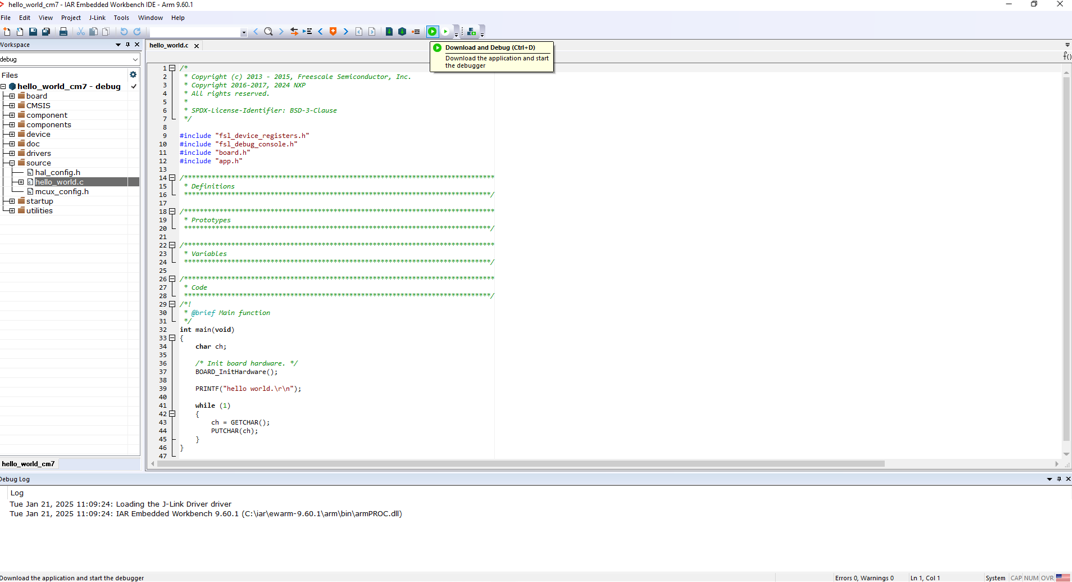
Open hello world example with IAR, click download and debug to debug
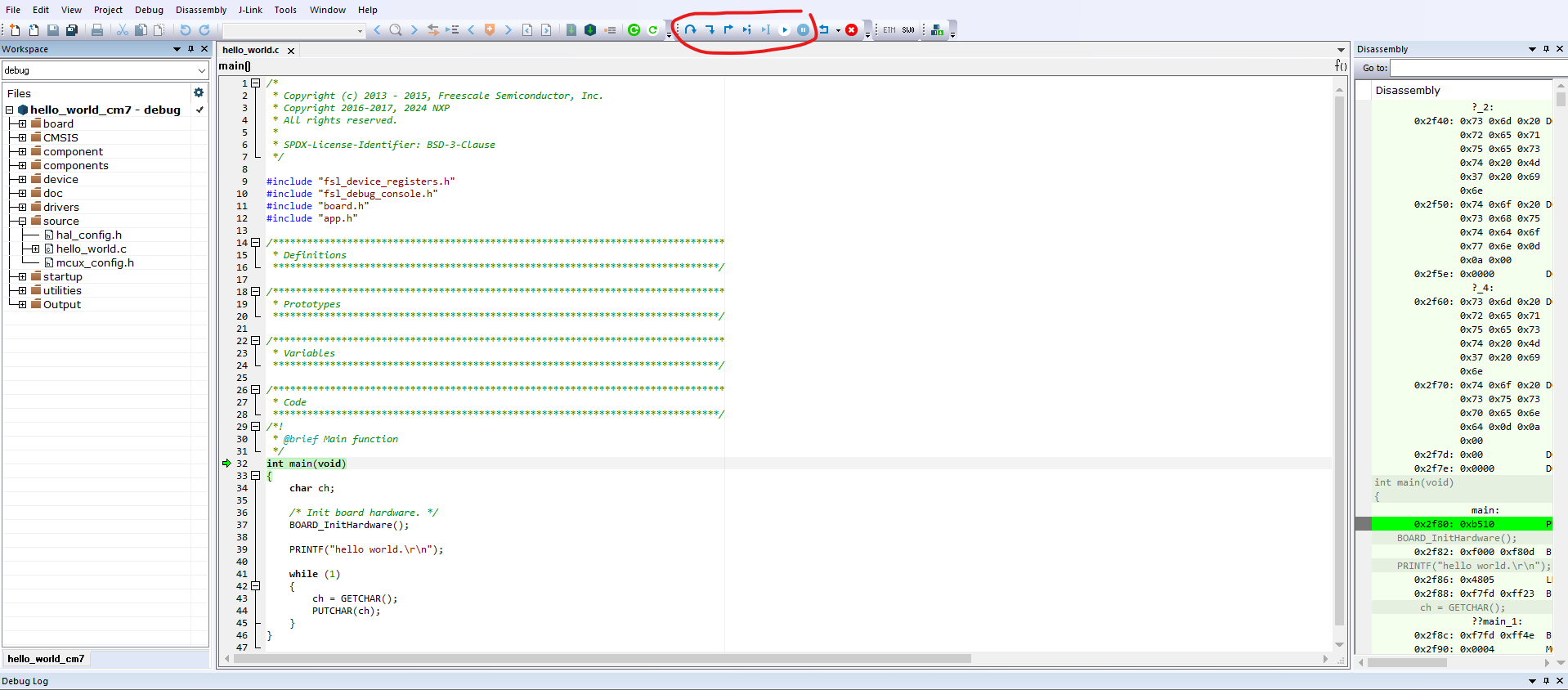
click button such as step over to debug
Parent topic:Run a demo application