
Run a demo application#
This section describes the steps to download the flash.bin to sd and emmc, run the example applications provided in the MCUXpresso SDK. The hello_world demo application targeted for the FRDM i.MX 937 hardware platform is used as an example, although these steps can be applied to any example application in the MCUXpresso SDK.
Connect LPUART on board to console on PC#
To download and run the application, perform these steps:
Connect the development platform to your PC via USB cable between the DBG USB connector (J31) and the PC. It provides console output.
Open the terminal application on the PC, such as PuTTY or TeraTerm, and connect to the debug COM port (to determine the COM port number, see How to determine COM port). Configure the terminal with these settings:
115200 baud rate
No parity
8 data bits
1 stop bit |

|
Parent topic:Run a demo application
Make a flash.bin#
Get the boot images and the imx-mkimage source repository from corresponding Linux BSP release. The boot images required to be put into imx-mkimage/i.MX937 are:
- m33-oei-ddrfw.bin- oei-m33-ddr.bin- m33_image.bin- lpddr5_dmem_qb_v202409.bin- lpddr5_dmem_v202409.bin- lpddr5_imem_qb_v202409.bin- lpddr5_imem_v202409.bin- u-boot.bin- u-boot-spl.bin- bl31.bin- tee.bin- mx937a0-ahab-container.imgNote:
mx937evk for
m33_image.binis used forrpmsg str echo,rpmsg ping pongandpower_mode_switch_rtos.mx937alt for
m33_image.binis used for almost other examples.
Copy binary built by ARMGCC/IAR into imx-mkimage/iMX937, and rename it to m7_image.bin.
make image for ram target.
Make flash.bin with imx-mkimage.
make SOC=iMX937 OEI=YES flash_all LPDDR_TYPE=lpddr5(boot A core and M7)or
make SOC=iMX937 OEI=YES flash_lpboot_sm_m7 LPDDR_TYPE=lpddr5(does not boot A core, just boot M7)
Burn flash.bin to MicroSD/eMMC at 32 K(0x8000) offset with dd or HxD or UUU and then plug the MicroSD card to the board.
For example:
Burn flash.bin to Micro SD card with dd
dd if=flash.bin of=/dev/sdh bs=1k seek=32 && syncBurn flash.bin to SD/eMMC with UUU
Connect USB Type-C port to PC through the USB cable. It is used for downloading firmware of the board.
Switch to serial downloader mode; boot core is cortex-m33.
sd: uuu -b sd imx-boot-imx937-19x19-lpddr5-evk-sd.bin-flash_all new-flash.binBurn flash.bin with uuu.
emmc: uuu -b emmc imx-boot-imx937-19x19-lpddr5-evk-sd.bin-flash_all new-flash.bin
Change the boot mode to
SW1[1:2] = 11for sd boot,SW1[1:2] = 10for emmc boot.Power on the board .
Parent topic:Run a demo application
Debug an demo application with IAR#
To debug an application with IAR, perform these steps:
Get the patch for IAR and Segger J-Link, install it as readme in the patch.
burn a flash.bin to board, see Run a demo application, make sure the size of M7 binary in flash.bin not less than the binary you want to debug.
power on the board, make sure the M7 is booted by SM
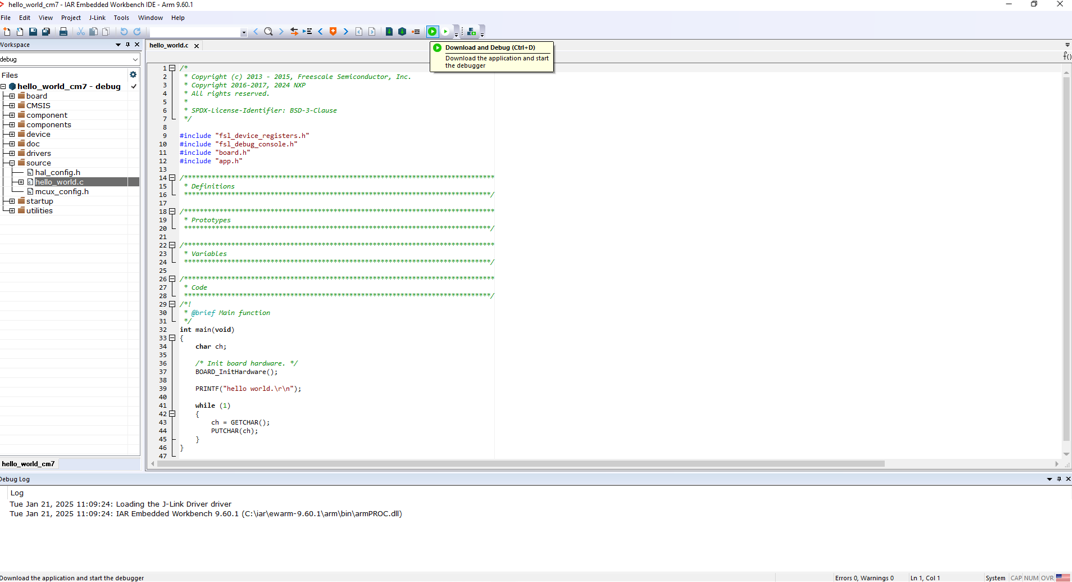
Open hello world example with IAR, click download and debug to debug
|
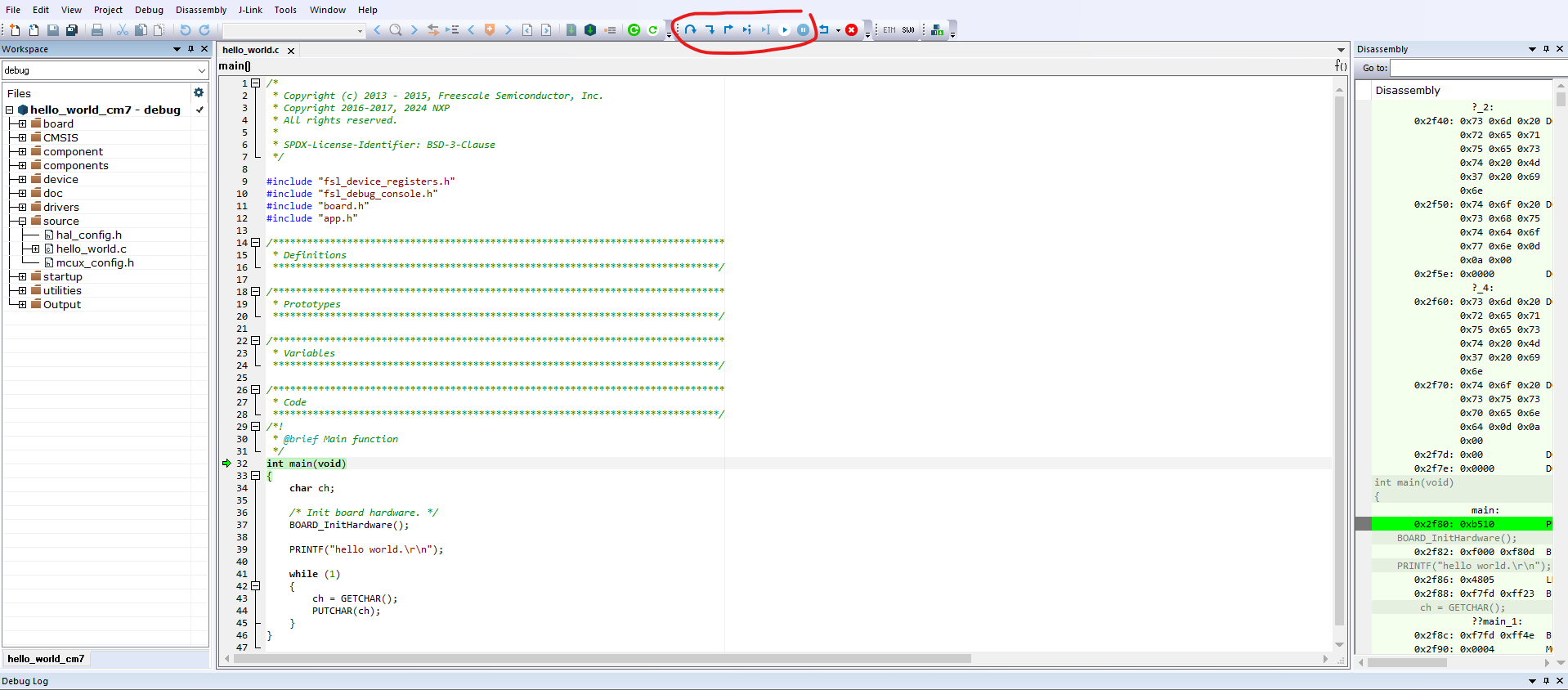
click button such as step over to debug
|
Parent topic:Run a demo application