
Updating NBU for Wireless Examples#
The Narrow Band Unit (NBU) firmware is included in the SDK folder as a signed and encrypted FW.
middleware\wireless\ble_controller\bin\kw43_nbu_ble_hosted.sb4
To program the NBU software for the KW43, perform the following steps:
While holding pressed the SW2 on the FRDM-KW43 board, attach the USB connector J28 to your computer. Then, release the SW2 after you plugged the USB cable on your computer then silicon will run into ISP mode. If not using the FRDM-KW43 board, PTA5 must be pulled high before powering on the board to enter ISP mode.
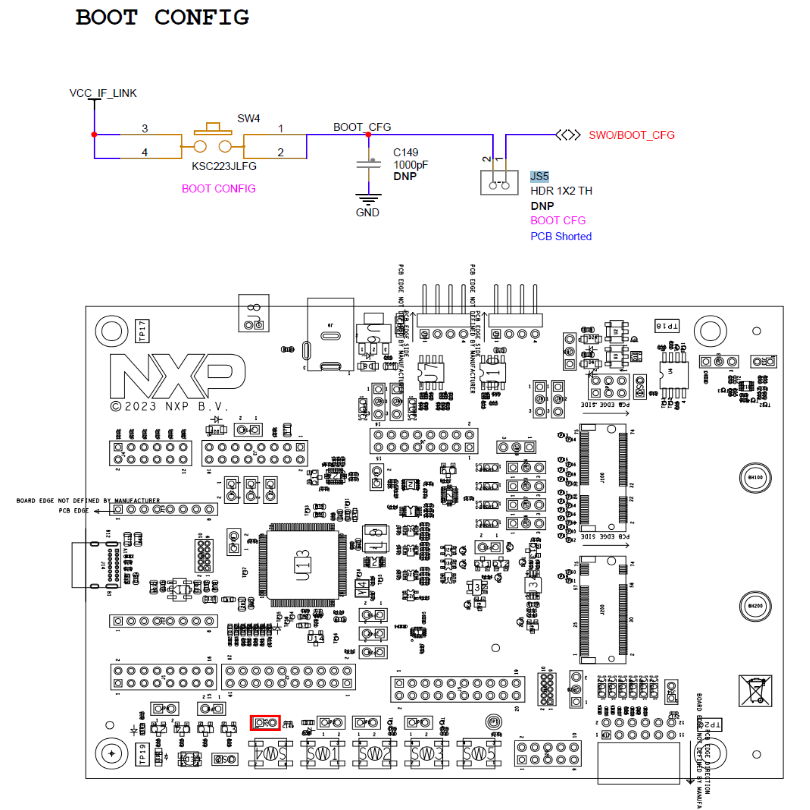
Verify which COM port is assigned to your FRDM-KW43 board. To check the assigned COM port, in the Windows Device Manager program, search for Ports (COM & LPT) and save the COM port number. In this example, the assigned COM port is COM3.
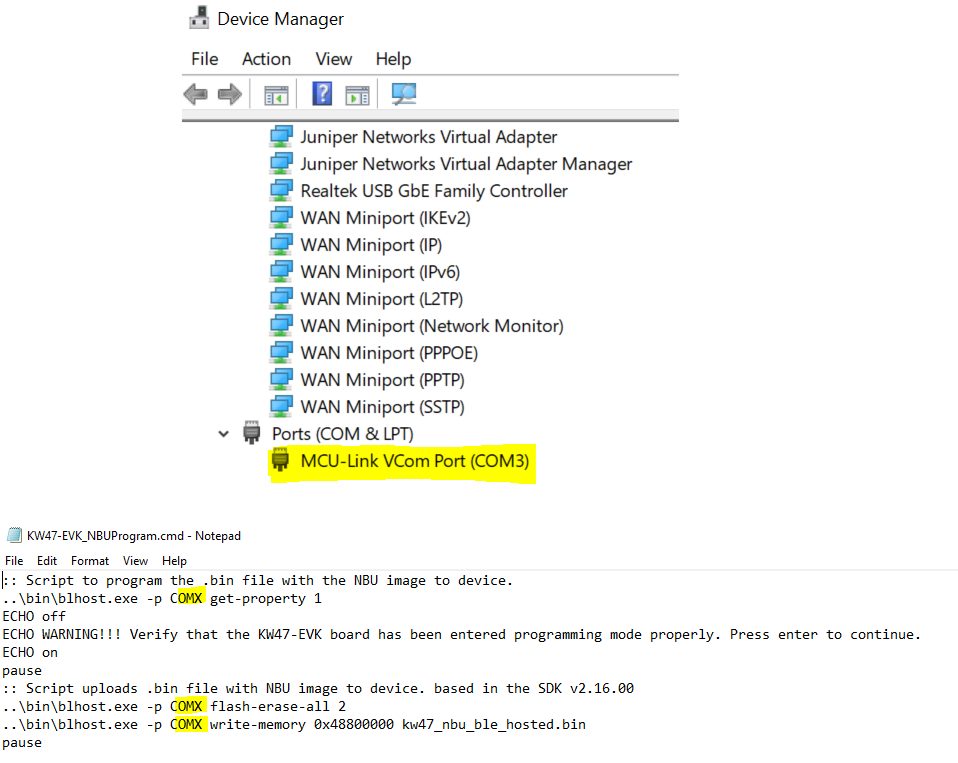
Execute the following commands in order, replacing COM3 with your actual COM port number (e.g., COM3):
Make sure the device has entered ISP mode properly. If the device did not enter in ISP mode, it cannot be programmed.
blhost.exe -p COM3 get-property 1
The following examples show when the device did not enter ISP mode (left) and when it entered ISP mode correctly (right).

Erase the NBU flash region and program the NBU binary:
When the chip is blank (no valid NBU image at flash offset 0x0):
blhost.exe -p COM3 write-memory 0x80000 kw43_nbu_ble_hosted_test.sb4
When the chip is not blank (a valid NBU image already exists at flash offset 0x0):
Step 1 — Write the new NBU binary to
NBU_UPDATE_IMG_ADDR:In this case, you need to program the nbu image to
NBU_UPDATE_IMG_ADDRfirst.blhost.exe -p COM3 flash-erase-region <NBU_UPDATE_IMG_ADDR> 0x58000 blhost.exe -p COM3 write-memory <NBU_UPDATE_IMG_ADDR> kw43_nbu_ble_hosted_test.sb4
NBU_UPDATE_IMG_ADDRis read from the CMPA region of the IFR at offset0x01000334. The calculation follows the same rule as the recovery address:NBU_UPDATE_IMG_ADDR = IFR[0x01000334][31:11] × 4096
To get the value, execute the following command:
blhost.exe -p COM3 read-memory 0x01000334 4
NBU_UPDATE_IMG_ADDRis located in the CMPA and can be updated. For detailed instructions on updating this field, please contact NXP technical support.Step 2 — Invoke the ROM API runBootloader from application code on main core:
Then invoke the ROM API
runBootloaderfunction, passing a pointer to a variable set to0xEB200200. This instructs the ROM to copy the NBU image fromNBU_UPDATE_IMG_ADDRto flash offset 0x0 and then trigger a reset./* BOOTLOADER_API_TREE_POINTER is defined in the SDK ROMAPI Driver header. */ #define BOOTLOADER_API_TREE_POINTER ((bootloader_tree_t *)0x14847000u) int value = 0xEB200200; BOOTLOADER_API_TREE_POINTER->runBootloader(&value); /* The ROM will now copy the image at NBU_UPDATE_IMG_ADDR to flash 0x0 and reset. */
Refer to the
bootloader_tree_tdefinition in the SDK ROMAPI Driver for the full structure layout.
The two address fields and their IFR locations are summarised below:
Parameter
IFR / CMPA offset
Bit field
Formula
NBU_RECOVERY_IMG_ADDR0x01000330[31:11]
field × 4 KB
NBU_UPDATE_IMG_ADDR0x01000334[31:11]
field × 4 KB