
Running the Connection Handover scenario#
Connection Handover is an NXP proprietary feature that enables seamless transfer of a Bluetooth Low Energy connection from one peripheral to another while the central device remains unaware. The CCC Digital Key use case best exemplifies this scenario but is not limited to it. As a person carrying a phone moves around the vehicle, the Bluetooth Low Energy connection is transferred between Car Anchors to ensure the best user experience. From the point of view of the Device, it stays in the same initial connection.
The CCC Digital Key demos showcase the Connection Handover feature. The handover is performed on demand via a button press. In a real scenario, the handover is performed based on criteria such as RSSI. The following hardware platforms support this feature:
KW47-EVK
KW47-LOC board
Prerequisites:
Three boards (two boards act as Car Anchors, one as a Device). The demo is limited to a maximum of two Car Anchors.
The two Car Anchors must have a serial connection via the secondary UART.
The figure below shows two Car Anchors running on two KW47-EVK boards, connected via the secondary UART (J1-1 to J1-3, J1-3 to J1-1). The GND connection is J13-1 to J13-1. The UART connection stands in for a real deployment solution such as a CAN bus.
If using LOC boards, the UART connection is J2-3 to J2-4, J2-4 to J2-3.
The gHandoverIncluded_d macro must be set to
1inapp_preinclude.hfor the digital_key_car_anchor_cs project.The CS configuration must exist on the initial Car Anchor before the first handover is performed, as detailed in the Demo steps below.
Two Car Anchors connected via the secondary UART

Demo steps:
Connect a Car Anchor and a Device using the Passive Entry scenario as described in the section Passive Entry scenario.
Press the SW3 switch on the Car Anchor which is connected to the Device.
The connection is handed over to the second Car Anchor as seen in console messages. LED2 also turns solid blue on the Car Anchor that takes over the connection.
Optional: Use the “
send” shell command on the Car Anchor that has taken over the connection. The message is displayed in the console on the Device, after the Passive Entry scenario has completed and CS procedures have run.The connection can also be continually handed over back and forth between the two Car Anchors. To perform this step, press the SW3 switch on the Car Anchor that currently has the connection.
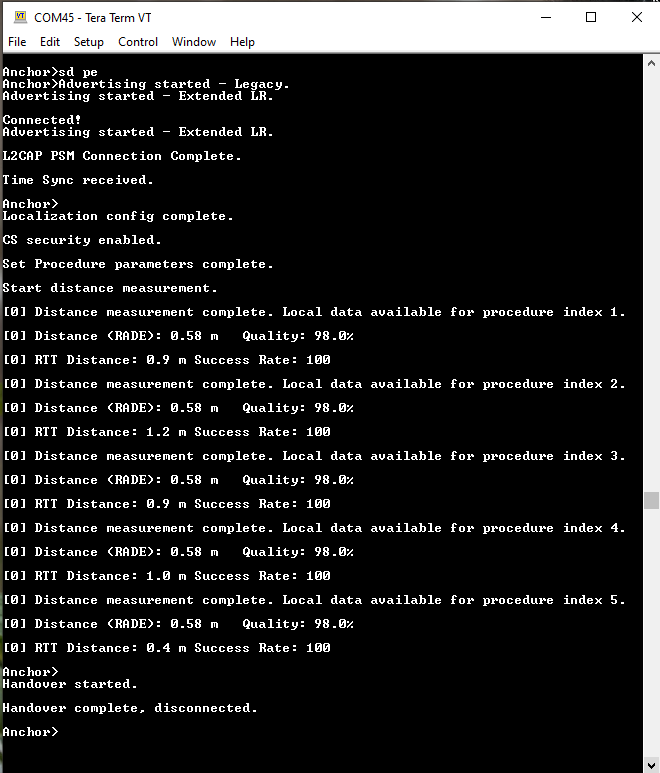
As shown in the below figure, the first Car Anchor performs the Passive Entry scenario, followed by the CS procedures resulting in distance measurements. The handover is then triggered via button press.
First Car Anchor performs the Passive Entry scenario and distance measurements
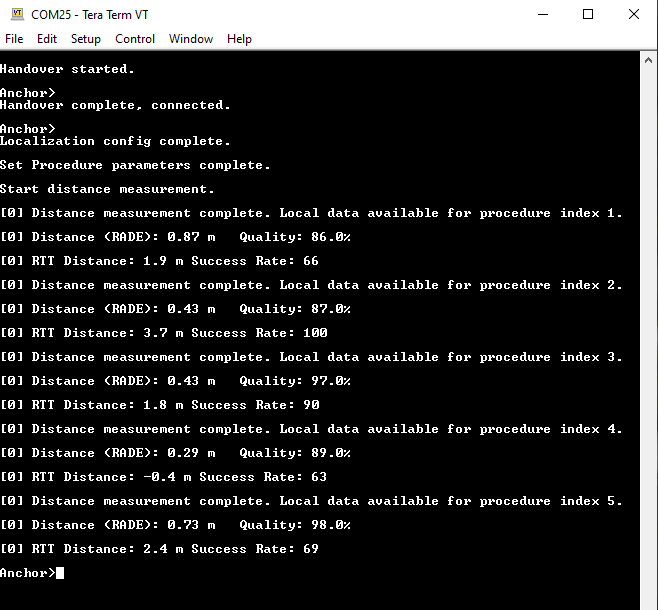
The figure below shows that the second Car Anchor takes over the connection. The default role for the Car Anchor is CS Initiator. Therefore, it automatically triggers new CS procedures resulting in distance measurements. The “tdm” shell command can be used to trigger new distance measurements from either the Device or the Car Anchor.
Second Car Anchor takes over the connection
Running the Anchor Monitoring scenario#
Anchor Monitoring is an NXP proprietary feature that allows a second Anchor to monitor the connection between the first Anchor and the Device. The feature requires the same hardware setup as used for the Connection Handover scenario. Note, however, that the Connection Handover scenario cannot be performed while Anchor Monitoring is in progress.
Demo steps:
Connect a Car Anchor and a Device using either the Owner Pairing or Passive Entry scenario as described in Owner Pairing scenario and Passive Entry scenario.
Anchor has performed Owner Pairing and the
monitor startcommand is run
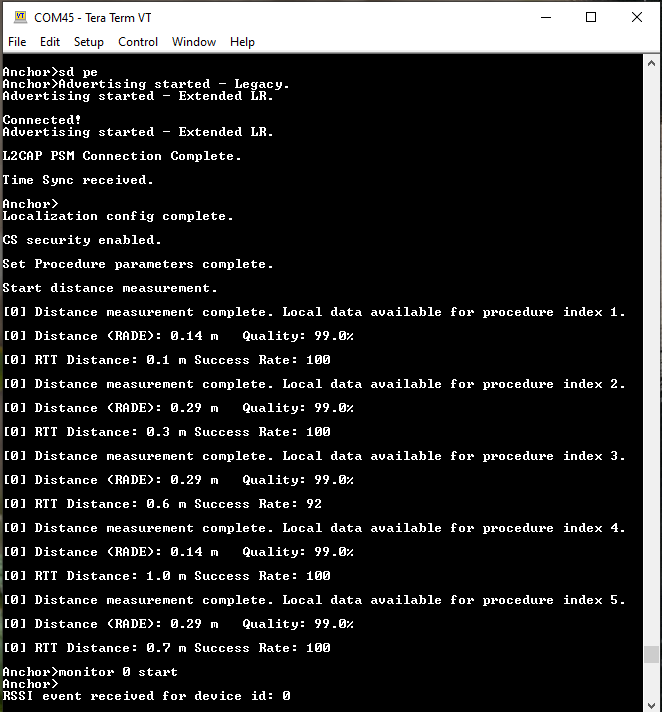
Run the “
monitor start” shell command on the Car Anchor, as shown in the figure belowThe second Anchor has received the command over the serial interface and has started Anchor Monitoring
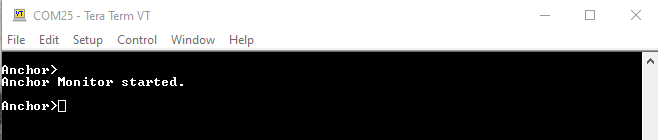
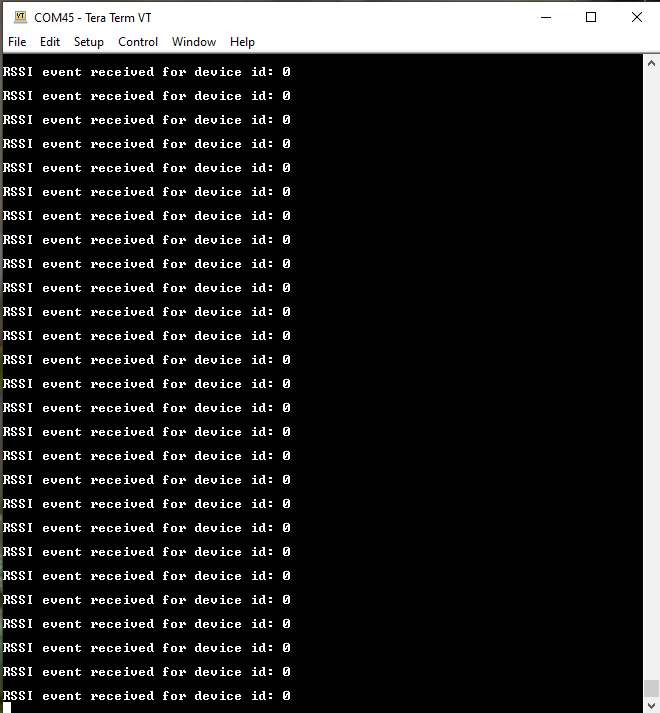
The second Car Anchor begins monitoring the connection and receives RSSI info events, which it forwards to the first Car Anchor. The received RSSI messages are then displayed on the console. This is shown in the figure below.
The first Anchor displays RSSI events received from the second Anchor
To stop monitoring, run the
monitor stopshell command on either of the Car Anchors (the second one is recommended, as its console is not flooded by RSSI event messages).
Parent topic:Running the Connection Handover scenario
Running the Packet Monitoring scenario#
Packet Monitoring is an NXP proprietary feature that allows a second Anchor to receive the packets from the connection between the first Anchor and the Device. The prerequisites are the same hardware setup as used for the Running the Connection Handover scenario. Note, however, that the Connection Handover scenario cannot be performed while Packet Monitoring is in progress. Packets received by the second Anchor are sent over the serial interface to the first Anchor for processing. The first Anchor determines the source of the packet based on the SN and NESN bits and displays the RSSI.
Demo steps:
Connect the first Anchor and a Device using either the Owner Pairing or Passive Entry scenario as described in Owner Pairing scenario and Passive Entry scenario.
Anchor has performed Owner Pairing and the packetmon start command is run
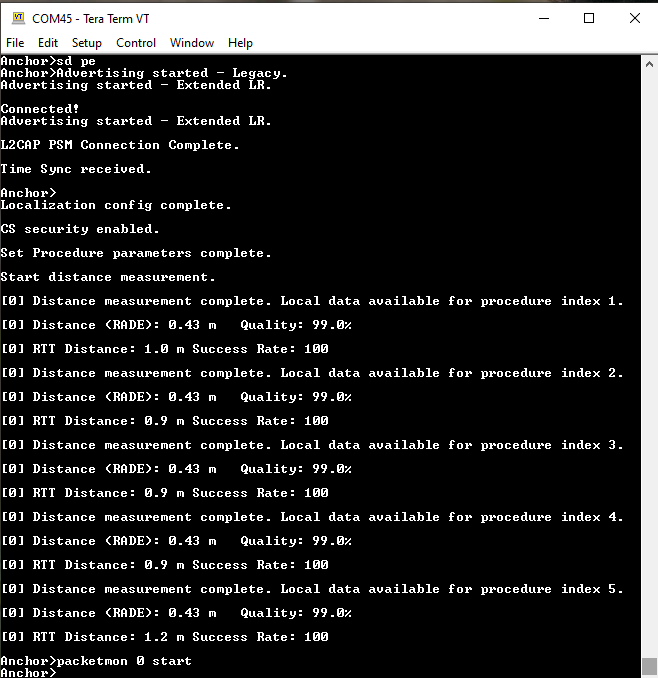
Anchor has performed Owner Pairing and the “`packetmon start`” command is run.
Run the
packetmon startcommand on the first Anchor, as shown in the figure below.
The second Anchor starts Packet Monitoring after receiving the command over the serial interface
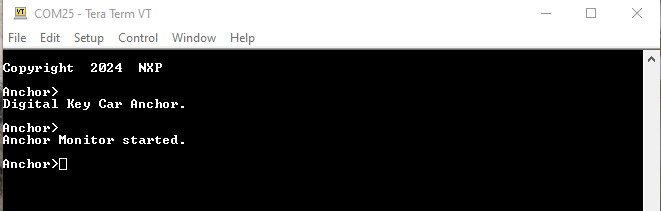
The second Anchor begins monitoring the connection and receives packet information, which it forwards to the first Anchor. See the figure below.
The first Anchor displays the RSSI and source device of the received packets from the second Anchor
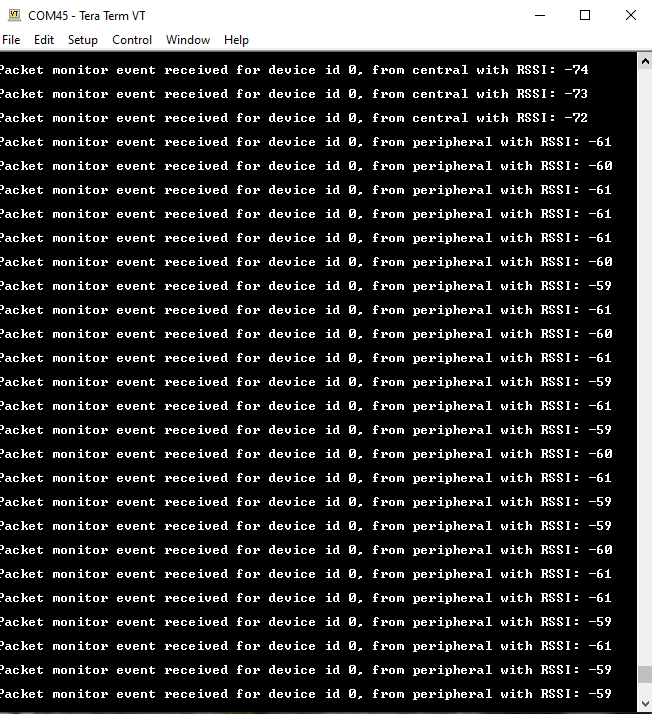
The first Anchor receives the packet information from the second Anchor and determines the source of the packet based on the SN and NESN bits. The source and the RSSI information is displayed in the console as shown in the preceding figure.
To stop monitoring, run the
packetmon stopshell command on either Anchor. It is recommended to use the second Anchor, whose console is not flooded by packet information messages.
Parent topic:Running the Connection Handover scenario