
Localization scenarios#
Application configuration#
This section describes configuration options available for the applications. The configuration can be done either at compile time, by using macros added in the app_preinclude.h file of the respective sample, or at runtime, via shell commands. The available configurations are:
The Channel Sounding role can be set through the
roleshell command at runtime only if there are no active connections. The default role is set through thegCsDefaultRole_cdefine inapp_preinclude.h. In the default configuration, the Anchor is in the CS Initiator role (gCsRoleInitiator_c) and the Device is in the CS Reflector role (gCsRoleReflector_c).The number of Channel Sounding procedures to be run via the CS Procedure Repeat mechanism, for each triggered distance measurement. The default value can be set through the
gCsProcRepeatMaxNumProcedures_cdefine. At runtime, the value can be changed using thesetnumprocscommand.The ranging algorithm to run once the local and remote measurement data is available. Each of the two supported algorithms can be disabled at compile time for code size reasons. By default, both are enabled. To disable an algorithm at compile time, define its respective macro with the value
0insideapp_preinclude.h. The macros aregAppUseCDEAlgorithm_d,gAppUseRADEAlgorithm_d. At runtime, thesetalgoshell command can be used to configure the algorithm that runs upon completion of the CS procedure and data transfer. Any combination of algorithms can be selected. By default, RADE is selected.The timing information display feature can be activated by setting the
gAppCsTimeInfo_dmacro to value1insideapp_preinclude.h. Additional timing information such as the duration of the CS config phase, CS procedure, BTCS transfer, and running of the algorithms is displayed on the console.The HCI data log export can be activated by setting the
gAppHciDataLogExport_dmacro to value 1 inapp_preinclude.h, on both the Anchor and the Device. A log of all Subevent Result and Subevent Result Continue HCI events will be printed on the second serial for each CS procedure.
For better performance and user experience, the optional LE Coded PHY advertising should be disabled by setting gAppLeCodedAdvEnable_d to 0 inside app_preinclude.h on the Anchor.
Parent topic:Localization scenarios
Localization after passive entry#
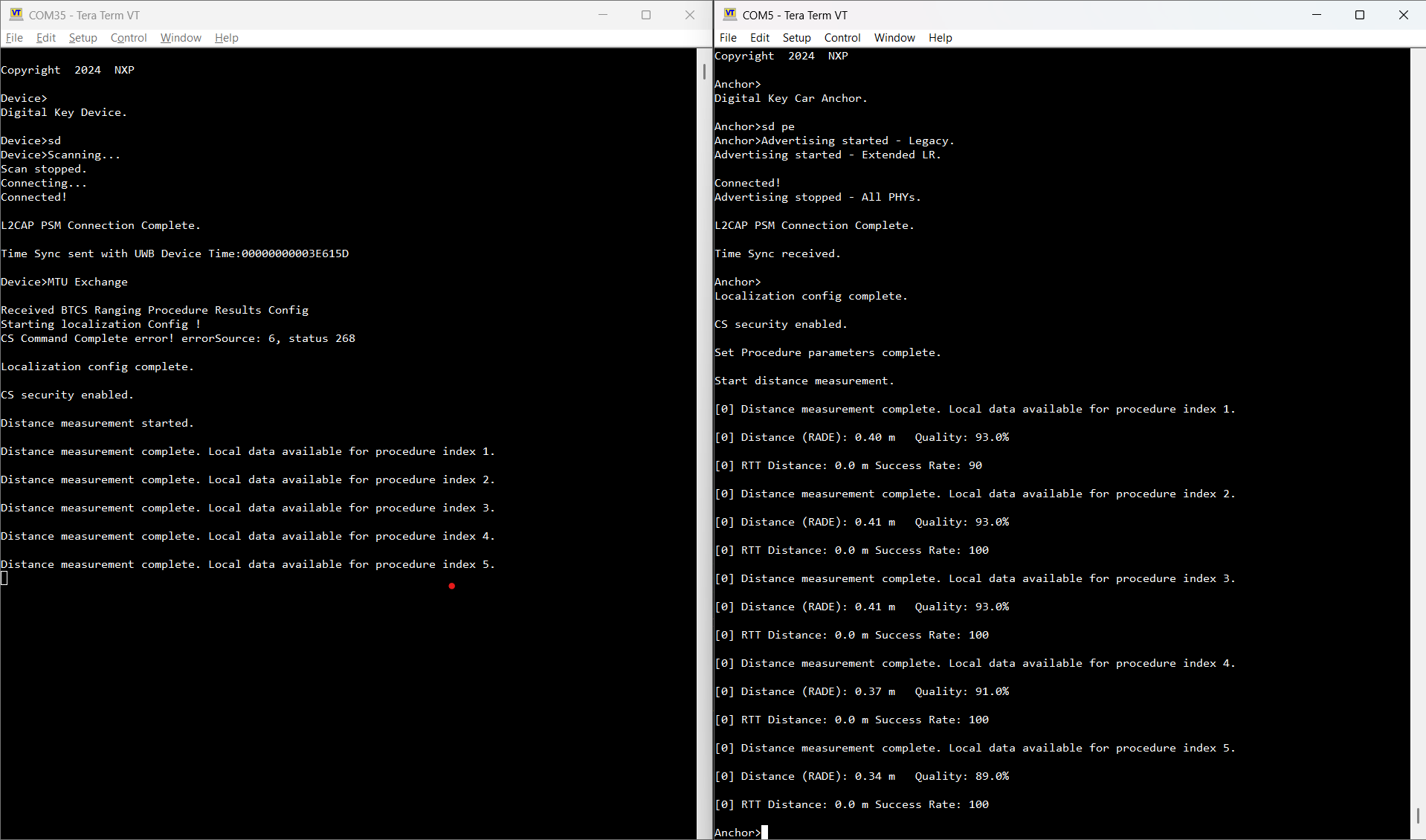
The localization process starts automatically after the Passive Entry scenario is completed. The CS Initiator performs the CS setup and starts a number of gCsProcRepeatMaxNumProcedures_c procedures. After each procedure, the Device’s local data is transmitted through BTCS to the Anchor. After the Anchor collects the data, it runs the selected algorithm(s) and displays the measured distance (meters) in the console.
The below figure shows the output of the localization process after each of the five measurements completed successfully and the distance is displayed.
Output of the localization process
Parent topic:Localization scenarios
Localization on demand and other shell commands#
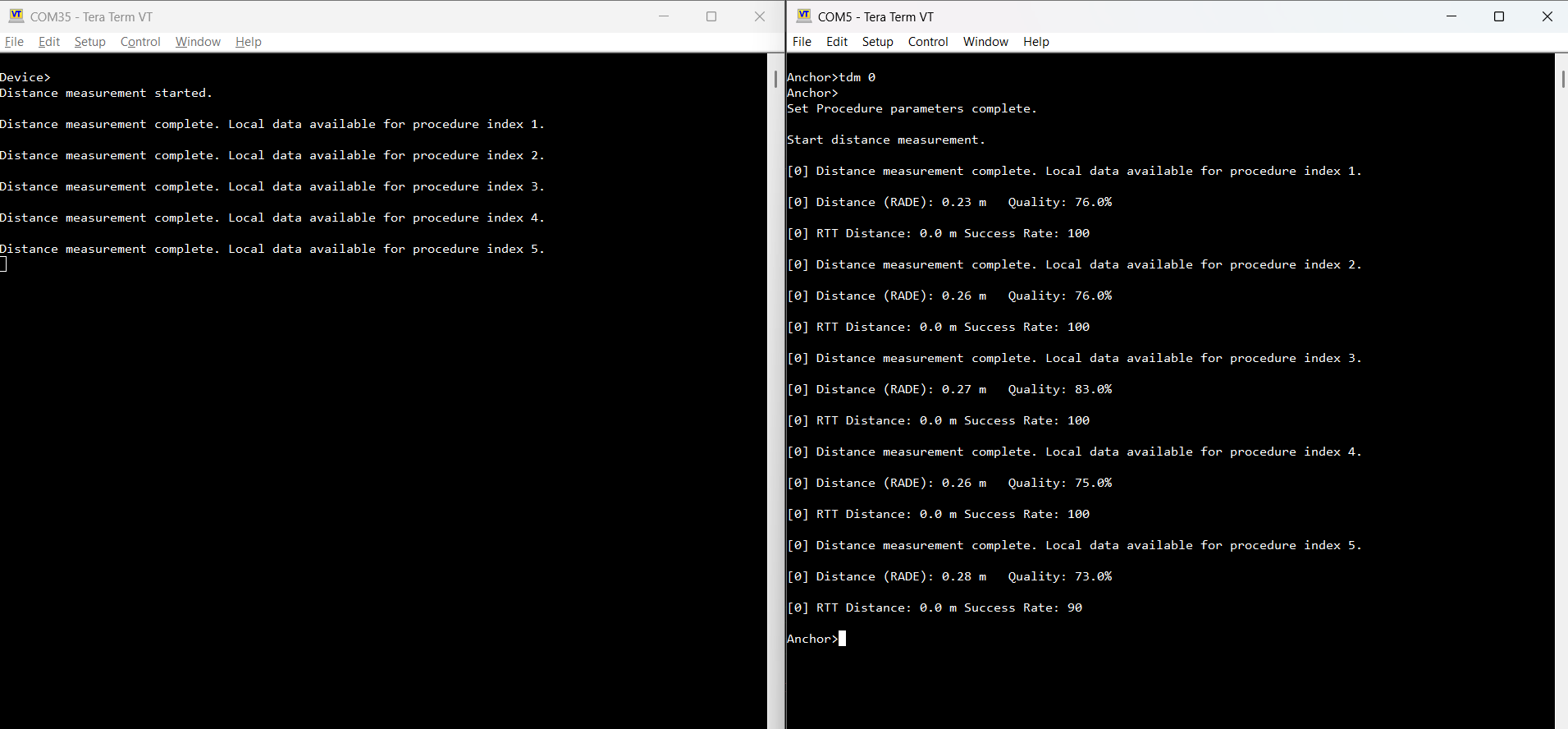
Localization can also be performed on demand via the tdm shell command, which takes the device ID of the peer as an argument. As shown in the figure below, the Device triggers the localization process, and the default 5 measurements complete successfully.
Triggering the localization process
Other available shell commands are:
setcsconfig: This command overwrites the default parameters for the Channel Sounding Create Config command. It takes the following parameters, in the order below:peerIdmainModeType: CS mode to be used as main mode during the CS procedure for this configuration. Possible values:1 (CS mode-1)
2 (CS mode-2)
3 (CS mode-3)
subModeType: CS mode to be used as submode during the CS procedure for this configuration. Possible values:1 (CS mode-1)
2 (CS mode-2)
3 (CS mode-3)
255 (no submode used)
mainModeMinSteps: Lower bound of the range of main mode CS steps to be executed before a submode CS step is executed during the CS procedure. Range:1 to 255
mainModeMaxSteps: Higher bound of the range of main mode CS steps to be executed before a submode CS step is executed during the CS procedure. Range:1 to 255
mainModeRepetition: Number of main mode CS steps repeated from the previous CS subevent at the beginning of the current CS subevent. Range:0 to 3
mode0Steps: Number of CS mode-0 steps to be included at the beginning of each CS subevent. Range:\1 to 3
role: CS role. Possible values:0 (initiator)
1 (reflector)
RTTType: RTT variant to be used during the CS procedure. Possible values:0 (RTT AA only)
1 (RTT with 32-bit sounding sequence)
2 (RTT with 96-bit sounding sequence)
3 (RTT with 32-bit random sequence)
4 (RTT with 64-bit random sequence)
5 (RTT with 96-bit random sequence)
6 (RTT with 128-bit random sequence)
channelMap: 80-bit map in big endian order indicating channels to be used for the CS procedure. The default value isfcff7ffcffffffffff1f(all channels used except 0, 1, 23-25 and 77-78). Bit 79 is reserved for future use. At least 15 channels must be enabled.channelMapRepetition: Number of times the channel map will be cyled through for non-mode-0 steps within a CS procedure. Range:1 to 255.
channelSelectionType: Possible values:0 (Channel Selection Algorithm #3b)
1 (Channel Selection Algorithm #3c)
cs_sync_phy: PHY to be used for CS_SYNC exchanges during the CS procedure for the specified CS configuration. Possible values:1 (LE 1M PHY)
2 (LE 2M PHY)
3 (LE 2M 2BT PHY) - if supported at Link Layer level
setcsproc: This command overwrites the default parameters for the Channel Sounding Set Procedure Parameters command. It takes the following parameters, in the order below:peerIdmaxProcedureDuration: Maximum duration for each CS procedure. Range:1 to 65535 (units of 0.625ms)
minPeriodBetweenProcedures: Minimum number of connection events between consecutive CS procedures. Range:1 to 65535
maxPeriodBetweenProcedures: Maximum number of connection events between consecutive CS procedures. Range:1 to 65535
maxNumProcedures: Maximum number of CS procedures to be scheduled. Possible values:0 (CS procedures to continue until disabled)
1 to 65535
minSubeventLen: Minimum suggested duration for each CS subevent in microseconds. Range:1250 microseconds to 3.999999 seconds
maxSubeventLen: Maximum suggested duration for each CS subevent in microseconds. Range:1250 microseconds to 3.999999 seconds
antCfgIndex: Antenna Configuration Index as described in the Core specification. Range:0 to 7
snr_control_init: SNR Control to be applied to the Initiator in the CS procedure (if supported at Link Layer level). Possible values:0 (SNR control adjustment of 18 dB)
1 (SNR control adjustment of 21 dB)
2 (SNR control adjustment of 24 dB)
3 (SNR control adjustment of 27 dB)
4 (SNR control adjustment of 30 dB)
255 (SNR control is not to be applied)
snr_control_refl: SNR Control to be applied to the Reflector in the CS procedure (if supported at Link Layer level). Possible values:0 (SNR control adjustment of 18 dB)
1 (SNR control adjustment of 21 dB)
2 (SNR control adjustment of 24 dB)
3 (SNR control adjustment of 27 dB)
4 (SNR control adjustment of 30 dB)
255 (SNR control is not to be applied)
verbosity: Sets the verbosity level during the CS procedure.setnumprocs: This command overwrites the default valuegCsProcRepeatMaxNumProcedures_cparameter for the CS Procedure Repeat. It takes the following parameters, in the order below:peerIdmaxNumProcedures: Number of procedures in hex format. Example:setnumprocs 0 0x0005.
Parent topic:Localization scenarios
BTCS L2CAP data transfer#
The CCC introduced the Bluetooth LE Channel Sounding (BTCS) measurement transfer feature. BTCS procedures are configured and executed using the Bluetooth Low Energy connection established for the Digital Key Service. The results of the BTCS procedures are transferred to the vehicle and used to estimate the distance. The data transfer is done through the L2CAP channel created during the passive entry scenario. The format of the data transferred through BTCS is defined by the CCC. The algorithms used on the receiver to estimate the distance are (RADE and CDE).
The default transfer direction enabled in the digital_key_car_anchor_cs and digital_key_device_cs is from Device to the Anchor. To reverse the transfer direction in BTCS, the following defines must be set in the app_preinclude.h file:
digital_key_car_anchor_cs:gAppBtcsClient_dset to0andgAppBtcsServer_dset to1digital_key_device_cs:gAppBtcsServer_dset to0andgAppBtcsClient_dset to1
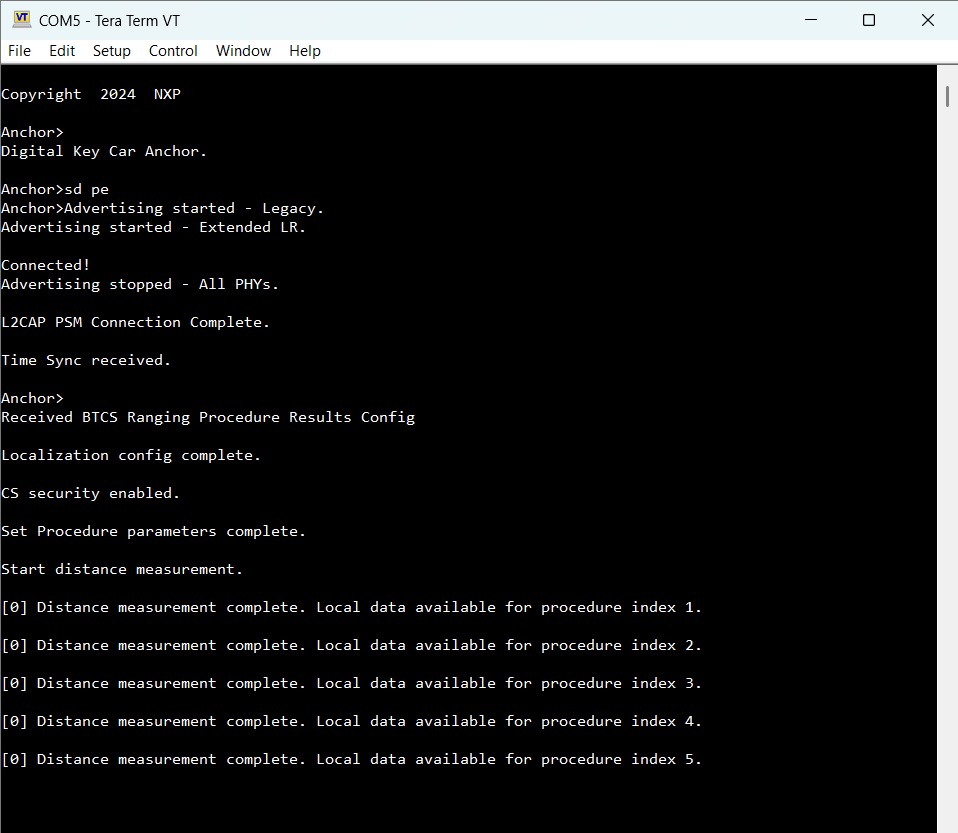
The figure below shows the car Anchor output after BTCS transfer direction is reversed.
BTCS transfer - car Anchor output
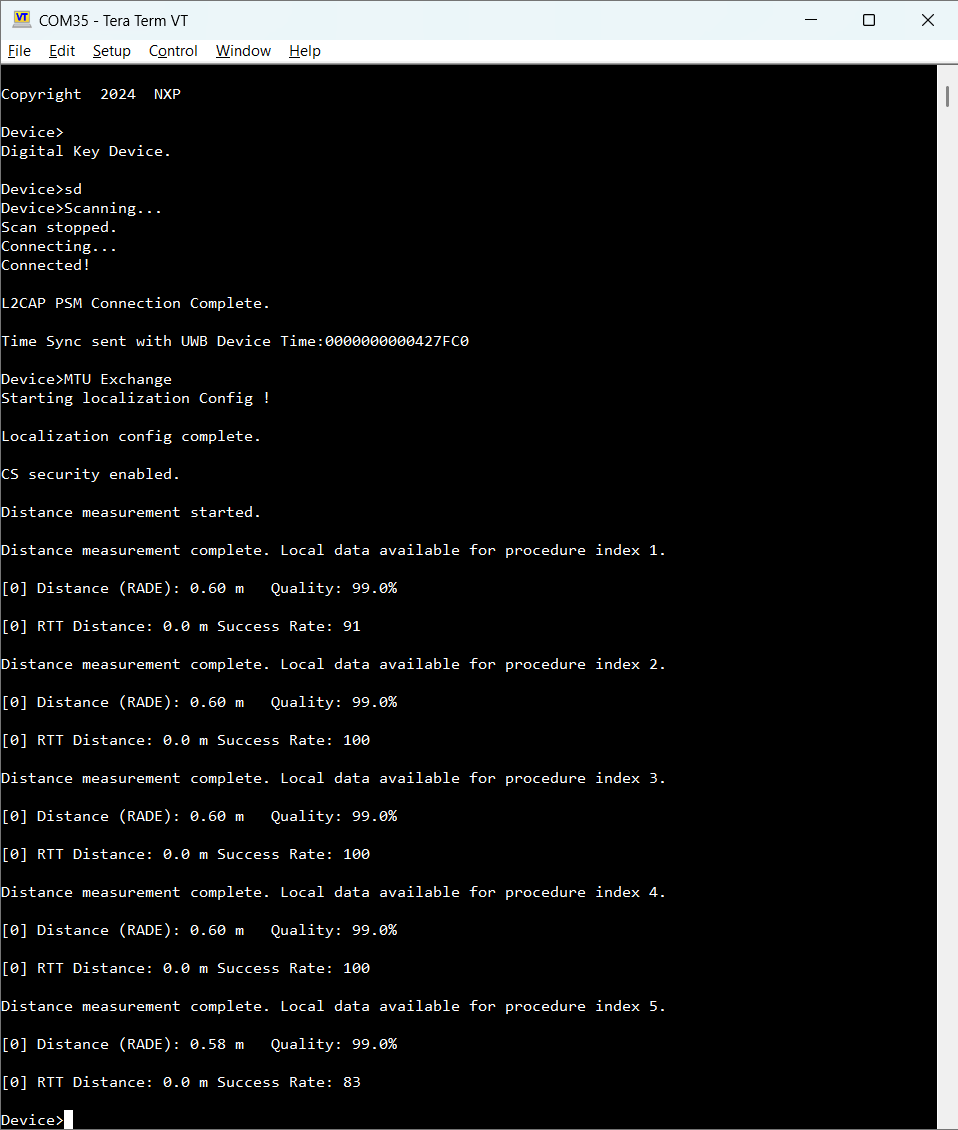
The figure below shows the Device output after BTCS is enabled.
BTCS transfer - Device output
Parent topic:Localization scenarios
Exporting HCI data#
The digital_key_car_anchor_cs and the digital_key_device_cs applications can be used for exporting HCI data. These applications allow exporting the raw HCI data of all Subevent Result and Subevent Result Continue HCI events for each CS procedure. This is achieved by enabling the gAppHciDataLogExport_d macro in the application project’s app_preinclude.h header.
This feature uses the second serial interface and therefore, Connection Handover must be disabled.
The UART wires should be connected to the board’s J1-1 and J1-2 pins, in the same way as described in Running the Connection Handover scenario. At the other end, use a UART-to-USB adapter to connect to the PC. The exported data includes the local HCI LE CS Subevent Result and LE CS Subevent Result Continue events. On the PC, custom scripts can be used to process the data. These scripts are out of the scope of this note.
The format of the data is the standard HCI data format. Refer to the Core specification definitions for more details (sections 7.7.65.44 LE CS Subevent Result event and 7.7.65.45 LE CS Subevent Result Continue event):
OCF (1 octet)
OGF (1 octet)
Parameter total Length (1 octet)
Subevent_Code (1 octet)
Event parameters (variable)
Parent topic:Localization scenarios