
Introduction#
The Config Tools for i.MX is part of MCUXpresso Config Tools, a suite of evaluation and configuration tools that help users from initial evaluation to production software development. Config Tools for i.MX is an easy-to-use way to configure the pins and DDR of the i.MX processor devices. The software enables you to create, inspect, and modify any aspect of the pin configuration and muxing of the device. It also allows you to configure and validate DDR settings. This document describes the basic components of the Config Tools for i.MX and lists the steps to configure and use them to configure both pins and DDR.
Note: Only the standalone desktop version is currently available for i.MX processors.
Features#
The Config Tools for i.MX consists of the following tools: Pins, Clocks, Peripherals, TEE, DDR, SERDES, and PBL.
The Pins tool is designed for:
Configuration of pin routing/muxing
Managing different functions used for routing initialization
Configuration of pin functional/electrical properties
Generation of code for routing and functional/electrical properties
The DDR tool is designed for:
Configuration of DDR controllers
Validation of DDR configuration
The Pins tool can be used to define routing of pins for target device/board. The tool configuration may be shared using the stored configuration in the MEX file or by using the generated C or DTSI (optional) snippet files (via Import/Export or via copy-paste of the generated source).
Note: The Pins tool generates code for routing the pin to the peripheral, but not for the configuration of the peripheral. Some peripherals might need additional configuration of the pin to assign a function or channel. For example, for some ADC peripherals, the routing provides a connection between the pin and the ADC peripheral. You can then assign the ADC channel from within the ADC peripheral.
The DDR tool allows you to view and configure basic DDR attributes, such as memory type, frequency, number of channels and others and test the DDR configuration by a variety of tests. After you have specified the connection type, you can choose scenarios, tests to run in these scenarios, and view the test results, logs, and summary.
Versions#
For i.MX, the tool is referred to as Config Tools for i.MX and is available as a desktop application only. The tool contacts the NXP server and fetches the list of the available processors. Once used, the processors data is retrieved on demand. To use the desktop tool in the offline mode, create a configuration for the given processor while online. The tool will then store the processors locally in the user folder and enable faster access and offline use.
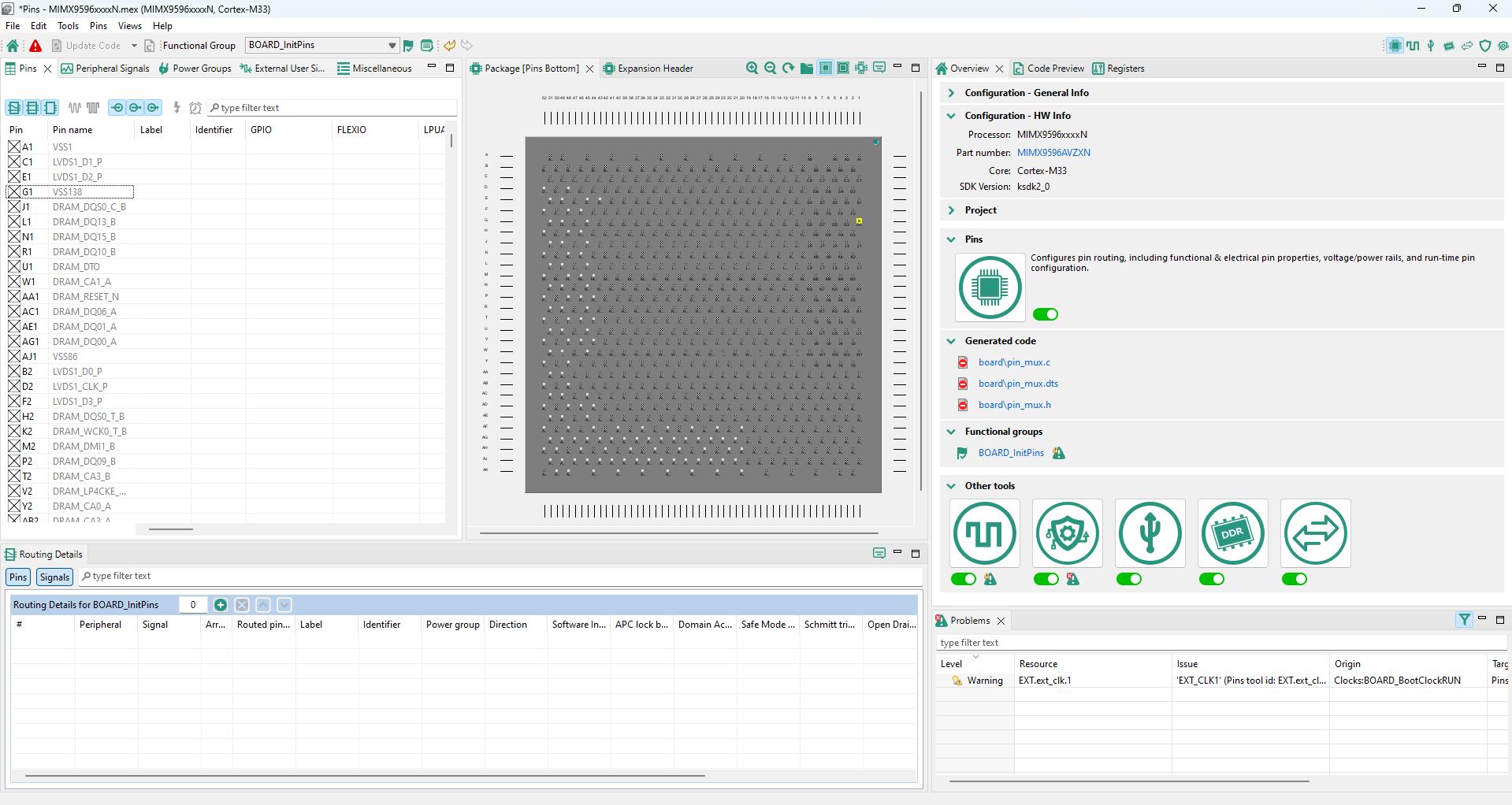
Config Tools for i.MX#
Tools localization#
Tools are available in English and Simplified Chinese only.
The locale of Tools automatically copies the global settings of your computer.
To set the locale manually, add the following parameter to the command line:
tools.exe -nl zh
You can also set the locale in the tools.ini file by adding the following line:
-Duser.language=zh
Note: Setting your system locale to Chinese automatically launches the tool with localized Chinese menu items, tooltips, and help. Delete the [home_dir]/.nxp folder after switching languages because some menu items may be cached.