
Pins Tool#
In the Pins tool, you can display and configure the pins of selected processor. Basic configuration can be done in the Pins, Peripheral Signals, or Package views.
More advanced settings (pin electrical properties and features) can be viewed and configured in the Routed Pins view.
Moreover, Config Tools for i.MX allows you to verify possible voltage level issues on HW level within given functional group for pins configuration from different power rails (if specified for given processor). Individual voltage level for supported power groups can be configured globally per current configuration in Power Groups view.
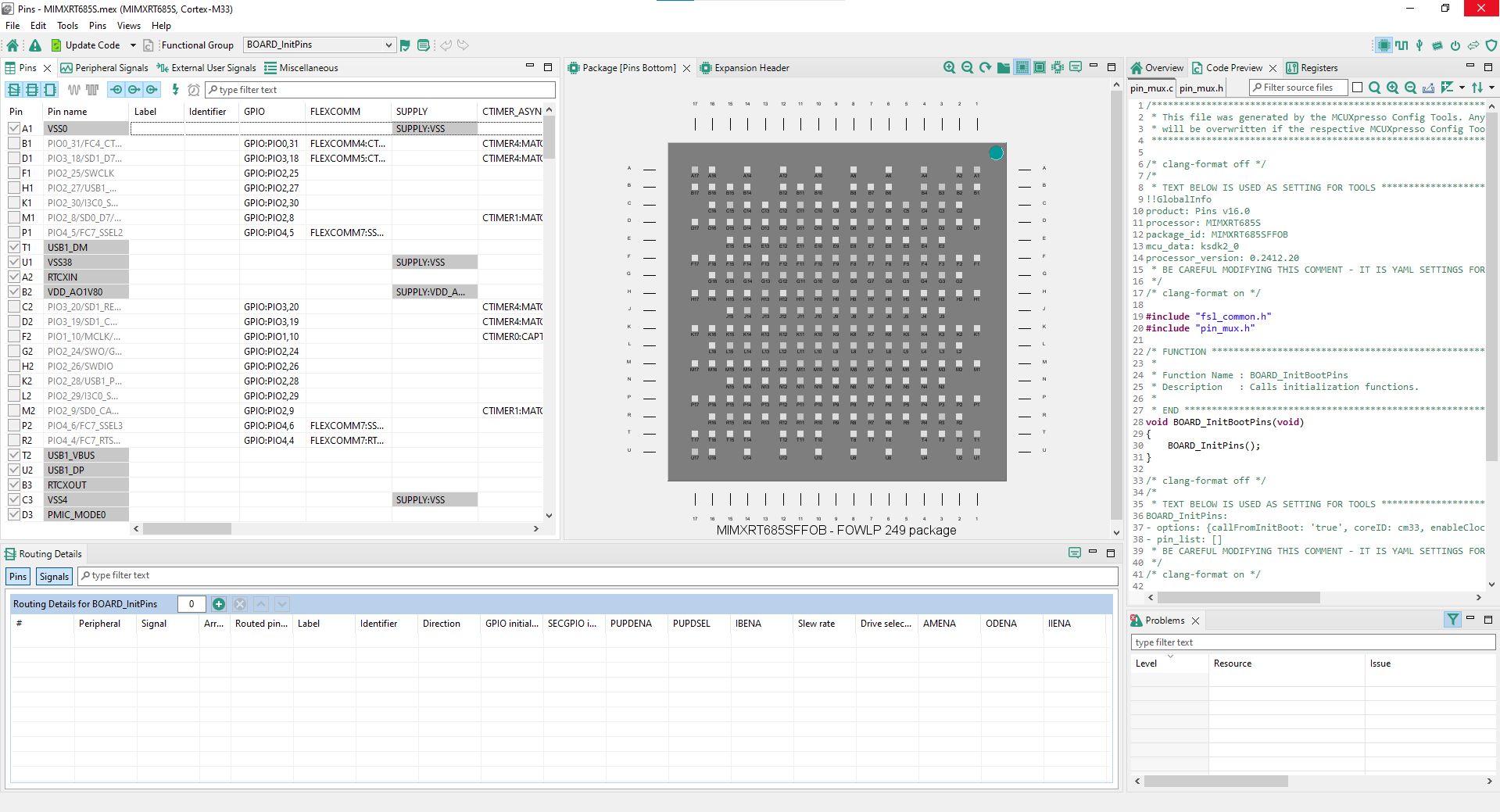
Pins tool user interface#