
Welcome#
Welcome to the NXP GUI Guider User Guide.
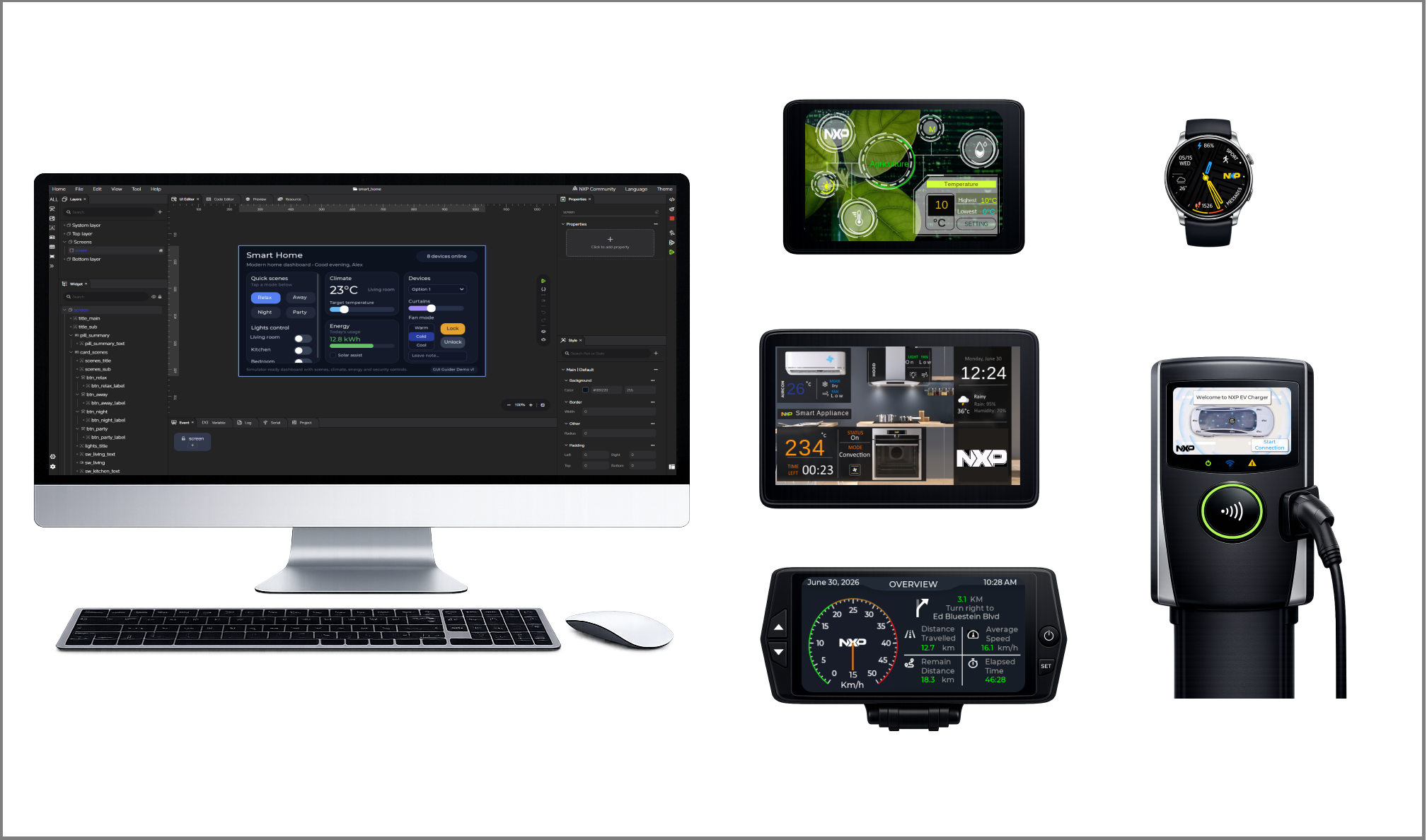
GUI Guider is a free, visual HMI development tool from NXP that lets you design, prototype, and generate production-ready graphical user interfaces for embedded applications—without writing UI code by hand. This guide walks you through the complete workflow, from creating your first project to optimizing and deploying a finished application.
About the document#
This User Guide explains what GUI Guider is and how to use it to design and build embedded HMI applications. It is intended to help you:
Understand the overall GUI Guider workflow.
Create and configure projects for your target hardware.
Design graphical user interfaces using widgets, styles, animations, and events.
Manage images, fonts, and other UI resources.
Generate, build, simulate, and deploy applications.
Apply development and performance-optimization best practices.
The guide is organized so that new users can get started quickly, while experienced users can jump directly to the topics most relevant to them. Use the table of contents in the sidebar to navigate, and the search function to locate specific features, workflows, or terms.
If you are new to GUI Guider, begin with the Getting Started and Quick Start Guide sections. Whether you are building your first GUI project or migrating from an earlier version, this documentation is designed to help you become productive quickly.
How this guide is organized#
Section |
What You Will Find |
|---|---|
Installation, system requirements, and first-launch setup. |
|
A hands-on walkthrough that takes you from a new project to a running application. |
|
A tour of the GUI Guider interface, panels, and tools. |
|
Power-user features such as Figma import and JSON-based design. |
|
Code generation, integration, and customization details. |
|
Techniques for improving rendering speed and memory usage. |
|
Step-by-step examples |
|
Ready-to-explore sample projects. |
|
FAQs, external resources and links, and a glossary of key terms. |
Intended audience#
This documentation is intended for:
Embedded GUI designers and developers.
Application engineers working on NXP MCU or MPU platforms.
Users evaluating GUI Guider for the first time.
Experienced users of GUI Guider seeking advanced features.
A basic understanding of embedded software development and graphical user interface concepts is recommended.
What is GUI Guider#
GUI Guider is a visual GUI development environment for embedded HMI applications, built on the open-source LVGL graphics library. It streamlines the creation of graphical user interfaces by combining visual design, project configuration, asset management, code generation, build, simulation, and deployment in a single, integrated workflow.
With GUI Guider, you can:
Create screens and layouts visually.
Configure widgets, properties, styles, animations, and events.
Manage images, fonts, and other UI resources.
Generate code that integrates directly into embedded software projects.
Simulate and preview designs in real time.
Build and deploy applications to the simulator or a device with a single click.
GUI Guider emphasizes ease of use, a clear workflow, and high development efficiency for modern embedded GUI projects.
Key features#
GUI Guider provides a workflow-oriented development experience that includes:
WYSIWYG design — Create and edit screens and layouts with live, what-you-see-is-what-you-get editing.
Drag-and-drop widgets — Build interfaces visually from a rich widget library.
Figma import — Convert Figma designs into GUI Guider projects.
Full property and style control — Configure every visual and behavioral attribute.
Events and animations — Define interactions and motion without writing code.
Resource management — Import and manage images and fonts.
Code generation and export — Produce portable C (C++ compatible) code for integration into your application.
One-click build and deploy — Run on the simulator or flash to a device in a single step.
JSON-based design — Define and edit UIs programmatically using JSON.
Together, these features shorten the path from UI intent to running application code.
Supported widgets, targets, and displays#
GUI Guider supports the majority of LVGL widgets. The following tables list the supported widgets, NXP development boards, and display panels.
Supported widgets#
The widget names link to the official LVGL documentation for detailed API and usage information.
# |
Widget Name |
Description |
|---|---|---|
1 |
Simple rectangular button. |
|
2 |
Rectangular button with a centered child label (custom composite). |
|
3 |
Button rendered from image sources. |
|
4 |
Grid of buttons defined by a row/column map. |
|
5 |
On/off switch. |
|
6 |
Progress bar. |
|
7 |
Slider for selecting a value within a range. |
|
8 |
On-screen virtual keyboard for text areas. |
|
9 |
Static image. |
|
10 |
Animated image built from an array of frames. |
|
11 |
Text label. |
|
12 |
Dropdown list. |
|
13 |
Multi-line text input. |
|
14 |
Binary choice input. |
|
15 |
Grouping container for other widgets. |
|
16 |
Container with tabs for organizing content. |
|
17 |
Window with a header (title and button) and a content area. |
|
18 |
Tile container for grid-based layouts. |
|
19 |
Tabular data organized in rows and columns. |
|
20 |
Calendar and date picker. |
|
21 |
Numeric input with increment and decrement controls. |
|
22 |
Scrollable list of items. |
|
23 |
Wheel-style value selector. |
|
24 |
Scale or ruler with tick marks and labels. |
|
25 |
Arc shape with value, min/max, and angle range. |
|
26 |
Text rendered along a circular arc. |
|
27 |
Polyline shape. |
|
28 |
Line, bar, or scatter chart. |
|
29 |
LED indicator with configurable color and brightness. |
|
30 |
Loading spinner with configurable angle and time. |
GUI Guider supports the major NXP MCU devices and selected MPU devices with HMI capabilities. The following table lists the supported boards and their compatible display panels.
Next steps#
New to GUI Guider? Start with Getting Started to install and set up the tool.
Ready to build something? Follow the Quick Start Guide.
Want to explore the interface first? See the IDE Overview.