
Demos#
GUI Guider ships with a collection of ready-to-run demo applications. Each demo is a complete, buildable project that illustrates a particular widget combination, application architecture, or target-oriented design pattern. Use the demos as guided learning examples and as starting points for your own projects—rather than as finished products.
Why use the demos#
The demos help you:
See best-practice UI layouts and widget configurations in a working context.
Learn specific techniques, such as event handling, animations, timers, and resource management.
Evaluate performance and visual quality on real NXP hardware.
Bootstrap a new project by customizing a design that is already close to your use case.
How to run a demo#
On the GUI Guider Home page, open the Application (template) gallery.
Select an application template that matches your application.
Select a NXP target board and panel, do project settings, then create the project.
Open the screens and widgets in the editor to inspect how the design is constructed, then adapt it to your needs.
Run the project in the simulator for an immediate preview, or build and deploy it to the board.
Demo quick reference#
Demo |
Category |
Highlights |
|---|---|---|
Industrial / IoT |
Real-time sensor monitoring, rule-based automation, historical data |
|
Appliance / HMI |
Climate control with buttons, sliders, switches, roller, status animations |
|
Learning |
|
|
Multimedia |
CSI camera stream, PXP-accelerated format conversion and rotation |
|
Multimedia |
USB camera stream, OpenCV format conversion |
|
Automotive |
Two-wheeler instrument cluster, gauges, turn-signal animations |
|
Mobility |
eBike dashboard, central speedometer, multi-resolution |
|
Automotive / IoT |
Guided charging flow, dual-mode (GUNS), animations |
|
Game / Learning |
Button-matrix grid, swipe input, persistent high score |
|
Industrial |
Multi-OS (Linux/FreeRTOS/Zephyr), remoteproc, core switching |
|
Multimedia |
Playback controls, spectrum animation, progress bar |
|
Appliance / HMI |
Copy/scan/print/setup workflow |
|
System |
File-system image loading, PNG decoding, rotation animation |
|
Appliance / HMI |
Multi-appliance control, charts, bars, arcs, top-layer elements |
|
Industrial |
Building monitoring and control, dynamic charts |
|
Lifestyle / IoT |
Clock, weather, home control, VGLite acceleration |
|
Wearable |
30+ screens, code-free configuration, circular display |
|
Reference |
Showcase of LVGL widgets and styling |
Available demos#
Agriculture control#

The Agriculture Control demo is a centralized interface for smart agriculture management. It provides real-time monitoring of environmental data such as temperature, humidity, and illuminance, and lets you define automation rules through sliders—for example, “if air humidity < 40%, trigger humidifier.” Historical data can be reviewed from the same interface.
Key techniques: Real-time data display, slider-based rule configuration, historical data views.
Target platform: MCX N947, 480x320 resolution, LVGL v9.
Air conditioner#

The Air Conditioner (AirCon) demo is a template for building climate-control interfaces. It uses buttons, sliders, switches, and a roller to control temperature, fan speed, mode, and run time, and includes animations that reflect the unit’s running status.
Key techniques: Control widgets (buttons, sliders, switches, roller), status-driven animations.
Target platform: Optimized for NXP MCU platforms; the layout and feature set can be extended in GUI Guider.
Button counter#
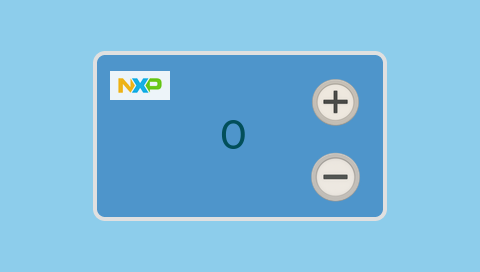
The Button Counter demo shows how to configure the click and long_pressed_repeat events of a button widget to drive a numeric counter displayed on a label. The plus (+) button increments the value and the minus (-) button decrements it; a single click changes the value by one, while a long press triggers continuous updates—useful for rapidly changing the value.
Key techniques: Button event handling (
click,long_pressed_repeat), label value updates.Target platform: Any supported target; ideal as an introductory example.
Camera viewer (FreeRTOS)#
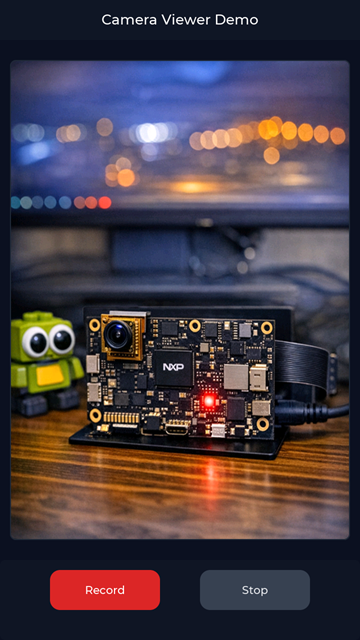
The Camera Viewer (FreeRTOS) demo receives a real-time camera stream on MCU targets. On the i.MX RT1170-EVKB the camera connects through a CSI interface, and the NXP PXP accelerator performs format conversion and rotation to improve performance. Use it as an instant camera preview and as a reference for displaying camera streams on NXP MCU targets.
Key techniques: CSI camera capture, PXP-accelerated format conversion and rotation, FreeRTOS integration.
Target platform: i.MX RT1170-EVKB.
Camera viewer (Linux)#
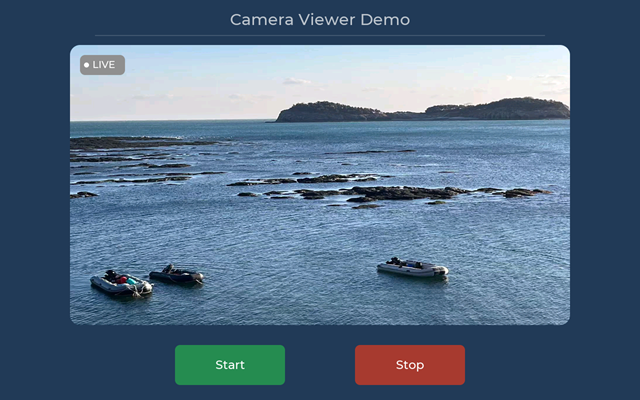
The Camera Viewer (Linux) demo provides real-time camera streaming on MPU targets. On the i.MX 93 EVK board the camera connects through a USB interface; the camera output frame format must be BGR, and OpenCV performs the format conversion. Use it as a preview application and as a reference for handling camera streams on NXP MPU targets running Linux.
Key techniques: USB camera capture, OpenCV BGR conversion, Linux/MPU integration.
Target platform: i.MX 93 EVK (Linux).
Digital cluster#
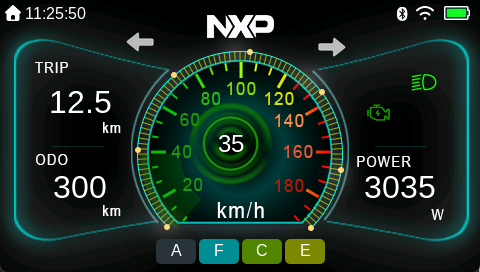
The Digital Cluster demo is a reference instrument cluster for two-wheeled vehicles. It includes graphic elements common to automotive dashboards—speedometer, trip, odometer, and power status—along with animations for turn signals and speed changes. The prebuilt layout can be customized; for example, the appearance of the gauges can be adjusted to fit specific requirements.
Key techniques: Gauge widgets, status animations, customizable dashboard layout.
Target platform: NXP targets; serves as a base template for instrument-cluster development.
EBike#
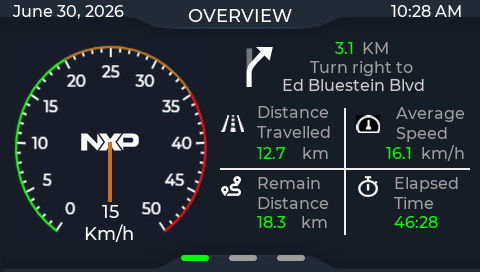
The demo is a fully functional eBike dashboard. It displays real-time ride data and control functions for electric-bike applications, including a central speedometer that shows speed, trip distance, and estimated range. The design emphasizes clarity, responsiveness, smooth animations, and real-time data updates.
Key techniques: Real-time data display, speedometer,smooth animations.
Target platform: i.MX RT with 480x272 display.
EV charger#

The EV Charger demo is a user-centric interface that demonstrates an electric-vehicle charging experience. It guides users through the entire charging flow—from connection to payment—with real-time monitoring, personalized recommendations, and secure payment options. The demo supports connect auto-detect and animation effects.
Key techniques: Multi-step guided workflow, animations.
Target platform: i.MX RT targets, 480x272 resolution.
Game2048#

The Game2048 demo is a fully functional 2048 game. It implements the classic number-merging gameplay, using a button matrix as the game grid, with dual score displays, directional buttons, and swipe support. It supports game reset and persistent high-score storage (until hardware restart) and shows end-game statistics such as score, moves, and best result.
Key techniques: Button-matrix grid, swipe gesture handling, game-state and score persistence.
Target platform: i.MX RT with 480x272 display.
Heterogeneous multicore#
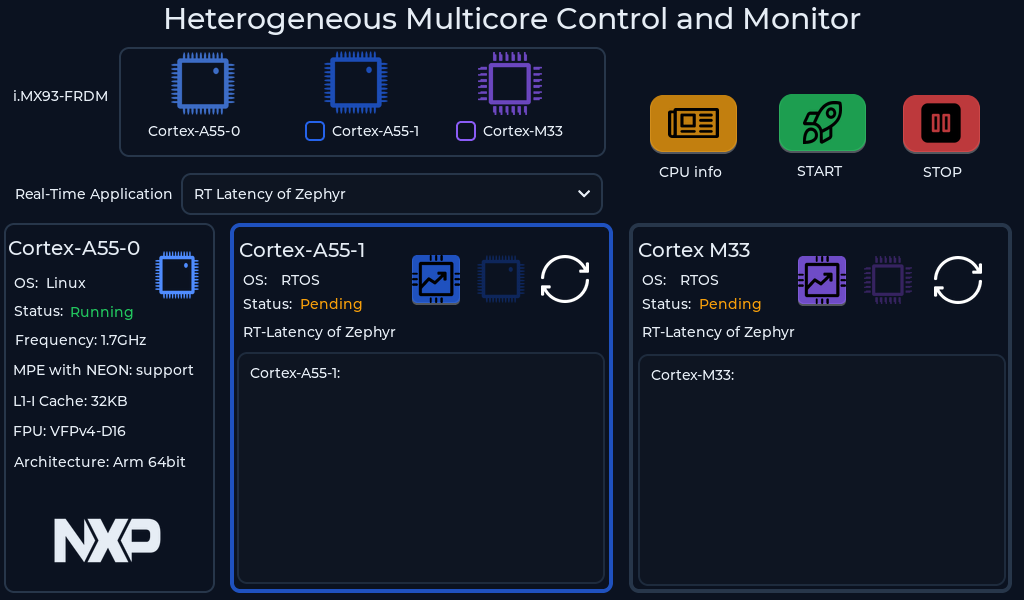
The Heterogeneous Multicore demo is a lightweight, self-booting Linux application that highlights the heterogeneous multicore architecture of NXP Real-time Edge software. It integrates multiple operating systems—Linux, FreeRTOS, and Zephyr—and demonstrates Linux remoteproc for inter-core communication, a responsive LVGL interface, and lifecycle management for dynamic application control. Applications can be switched between the Cortex-A and Cortex-M cores without restarting the host Linux OS.
Key techniques: Multi-OS integration,
remoteprocinter-core communication, runtime core switching.Target platform: MCIMX93FRDM, resolutions up to 1024x600.
For setup instructions, refer to Industrial HMI with Real Time Edge.
Music player#

The Music Player demo is derived from the LVGL music player and redesigned in GUI Guider. It includes play/pause, previous, and next controls; displays the current song title, artist, and playback status; shows a spectrum animation during playback; and uses a progress bar to indicate the position within the song.
Key techniques: Media playback controls, spectrum animation, progress indication.
Target platform: i.MX RT targets.
Printer#
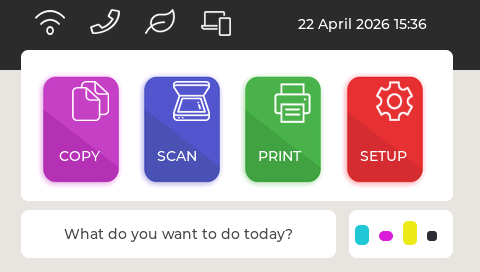
The Printer demo is derived from the LVGL printer demo and redesigned in GUI Guider. It implements common printer functionality—copy, scan, print, and setup—and lets you experiment with options such as document selection and orientation. Close to a real printer product, it serves both as a learning example for the GUI Guider workflow and as a reference design for custom printer applications.
Key techniques: Multi-function workflow UI, parameter selection screens.
Target platform: i.MX RT targets.
SD card storage#

The SD Card Storage demo shows how to display an image stored in a SD card file system using the image widget. The flow reads the GUI Guider logo from the SD card, decodes it with the PNG decoding library, and displays it through an image widget. A rotation animation is implemented with the LVGL animation interface, and setup instructions are shown on screen.
Key techniques: File-system image loading, PNG decoding, rotation animation.
Target platform: i.MX RT targets.
Smart appliance#

The Smart Appliance demo presents a graphical interface for controlling smart appliances, with individual sections for an air conditioner, a range hood, and an oven. It uses labels, images, switches, bars, and arcs, and includes animations, and top-layer elements. Use it as a reference for smart-appliance GUI projects.
Key techniques: Multi-appliance control sections, top-layer elements.
Target platform: i.MX RT1060.
Smart building#
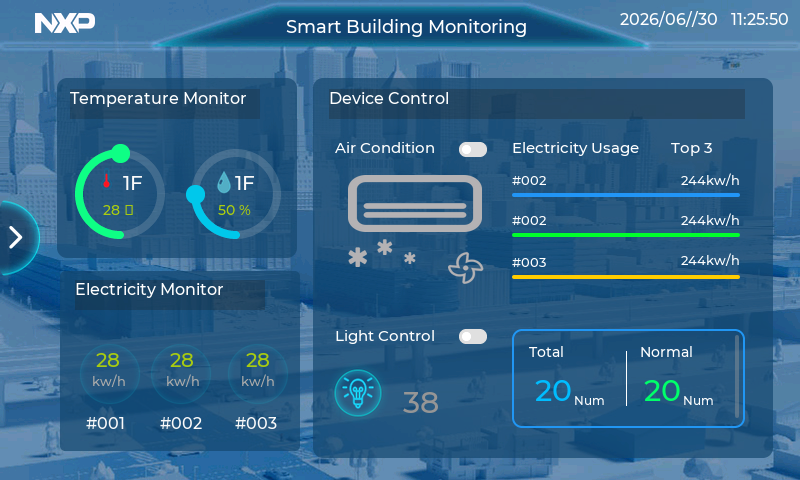
The Smart Building demo is a reference design for an industrial control panel. It implements building control and monitoring functions—temperature monitoring, device control, and electricity monitoring—using a rich set of LVGL widgets (labels, images, switches, charts, bars, and arcs) along with advanced features such as animations, dynamic charts, and the top layer.
Key techniques: Industrial control layout, dynamic charts, advanced widget composition.
Target platform: 800x480 resolution on i.MX 9, i.MX RT1170-EVKB.
Smart clock#
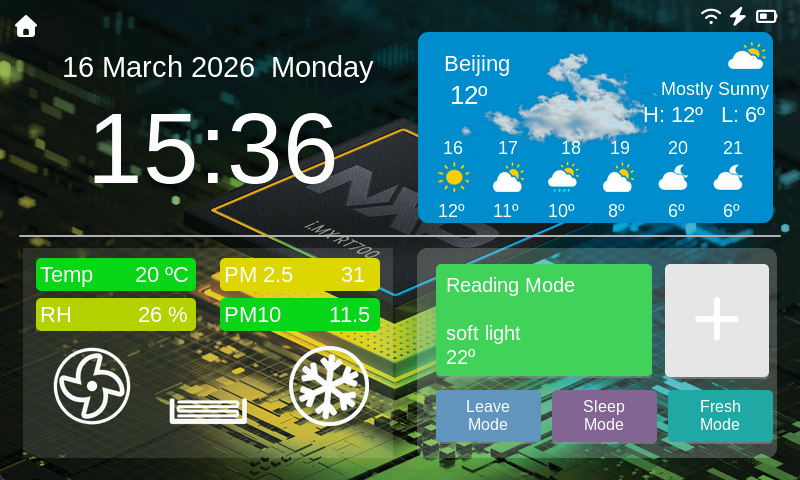
The Smart Clock demo is a reference design that shows how to build a table clock with advanced functions: date and time, weather, and home monitoring and control. It also illustrates VGLite performance on NXP devices such as i.MX RT700, and the VGLite effect can be toggled from the settings screen.
Key techniques: Multi-function clock UI, VGLite acceleration, settings-driven configuration.
Target platform: i.MX RT700-EVK with the EXPI 7-inch panel, default resolution 800x480.
Smart watch#
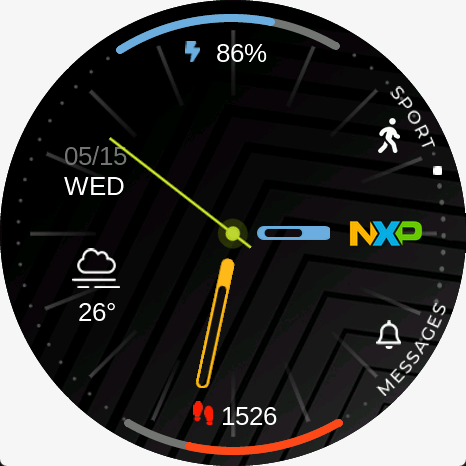
The Smart Watch demo provides a complete smartwatch interface with 30+ screens. All appearance, functions, animations, and events are implemented through GUI Guider configuration, without manual code. It covers typical smartwatch features—watch face, dial, fitness tracking, weather, music player, and payments—and is optimized for a circular display.
Key techniques: Code-free configuration, multi-screen navigation, circular-display layout.
Target platform: NXP i.MX RT700 with a circular display.
Widgets#
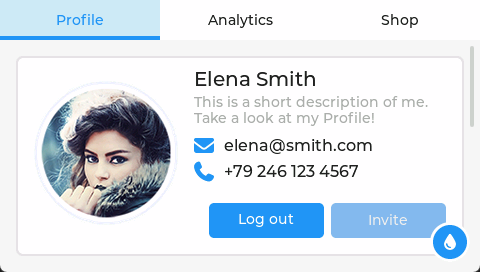
The Widgets demo showcases the graphical elements available in the LVGL library—buttons, sliders, knobs, text inputs, and more—and demonstrates how their appearance can be customized to fit specific design needs. Originating from LVGL and redesigned in GUI Guider, it can be built and deployed for the simulator as well as for NXP target boards.
Key techniques: Widgets showcase, style customization.
Target platform: i.MX RT1060, i.MX RT1064.