Component Management
Note: This section applies to MCUXpresso SDK and Matter projects and describes how to manage components within your project.
“Manage Components” option can be accessed from the icon next to the project or from the project’s context menu under the “Configure” group options.

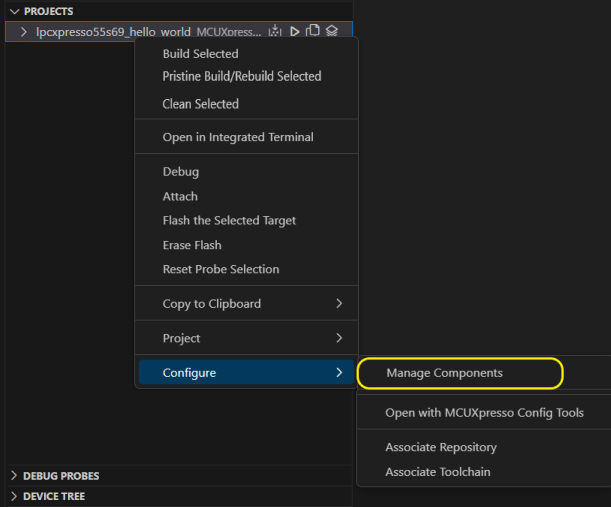
MCUXpresso SDK version 24.12 or newer
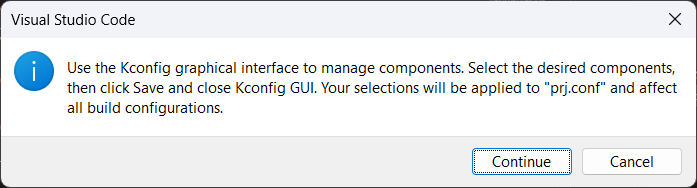
When using SDK with version 24.12 or newer, component management is done using Kconfig configuration files. When selecting “Manage Components”, a notification will appear explaining the next steps.
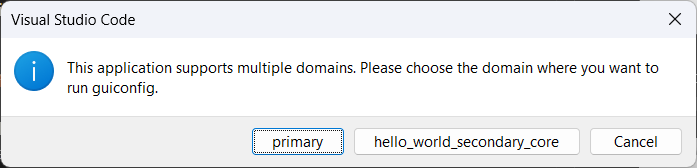
If the application has multiple domains, in the next step, extension will show a domain selector dialog to choose which domain to configure.
Next, the guiconfig tool will open, allowing you to select the available components.
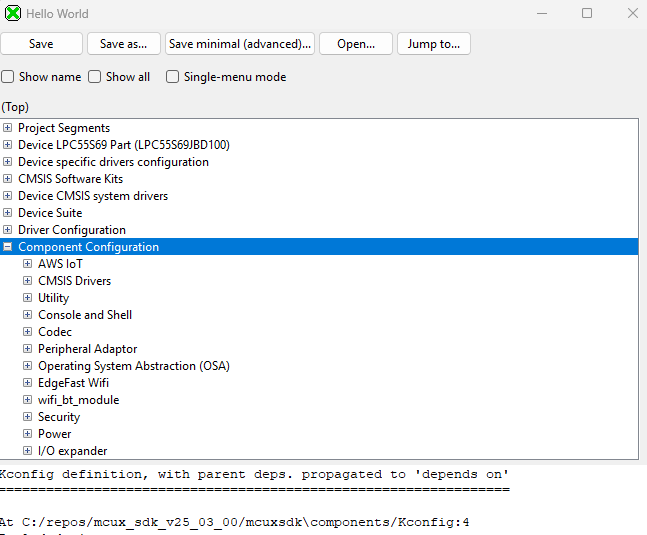
After making the desired changes, you should click the “Save” button and close the guiconfig tool. Changes will be applied in the prj.conf configuration file.
MCUXpresso SDK version 2.16 or older
A view with the list of all the available components will become open, just select the needed component(s) and press “OK” to add them to your application.
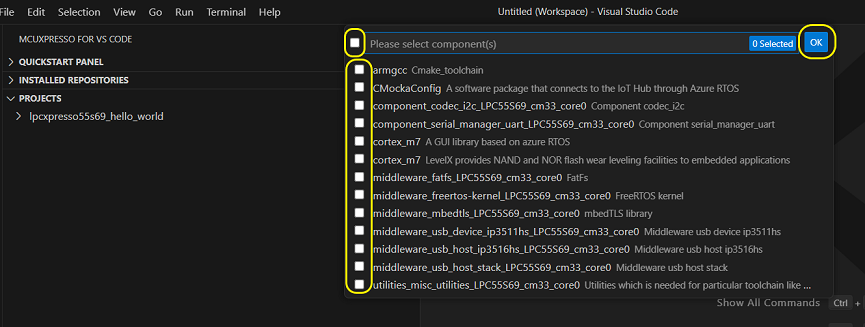
The component will be added in the component list inside CMakeLists.txt file.
Component management for MCUXpresso SDK version 2.14 to 2.16 (Modern CMake)
The support for Modern CMake is available starting with MCUXpresso SDK version 2.14.
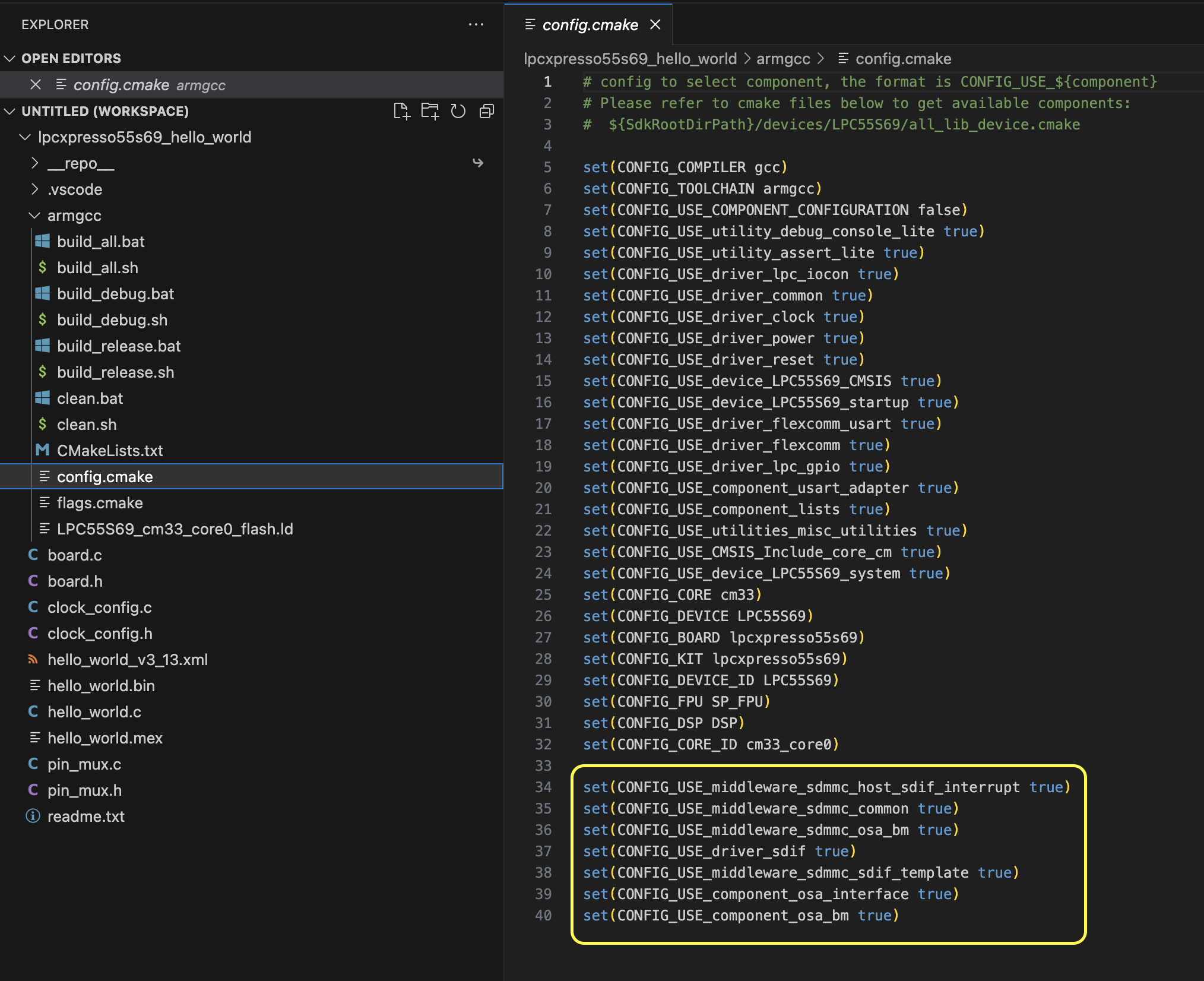
When a component is selected for a project, its dependencies are also added. This can be checked in config.cmake file.

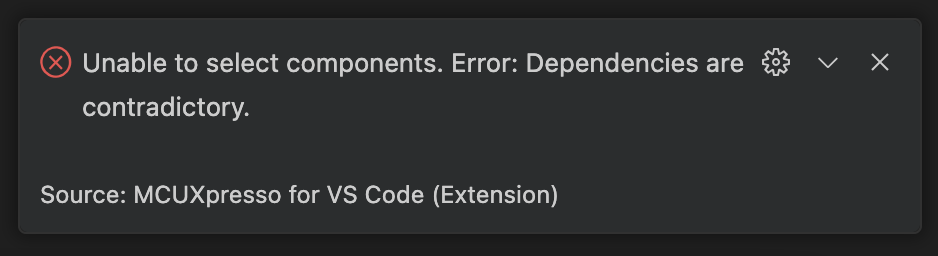
If one of the selected components is not compatible with the other used components, an error message is displayed.
When this happens, you can investigate the issue by checking the dependencies of the selected components in the manifest file. The manifest file is located in the MCUXpresso SDK repository.
Example: project “lpcxpresso55s69_hello_world”, component “middleware_sdmmc_host_sdif_interrupt” and component “middleware_sdmmc_host_sdif_freertos”.
Manifest file:
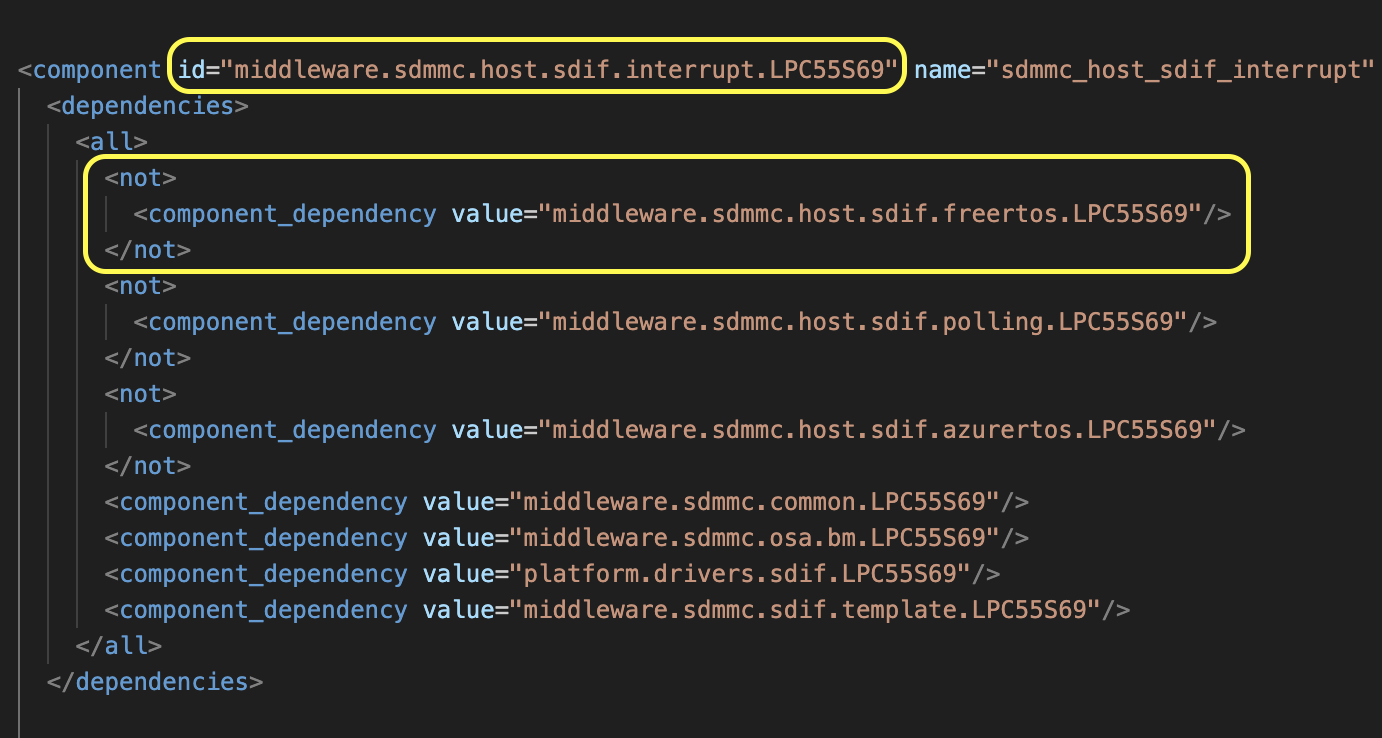
If “middleware_sdmmc_host_sdif_interrupt” component was already added, then “middleware_sdmmc_host_sdif_freertos” component cannot be added.