Add Files to Project/ Remove Files from Project (experimental)
This feature simplifies the process of adding files to your project. Source files added through this feature will also be automatically included in the project’s CMakeLists.txt.
To enable this functionality:
Open User Settings in VS Code.
Navigate to Extensions, then go to MCUXpresso for VS Code.
Check the box for Enable Add Files to Project.
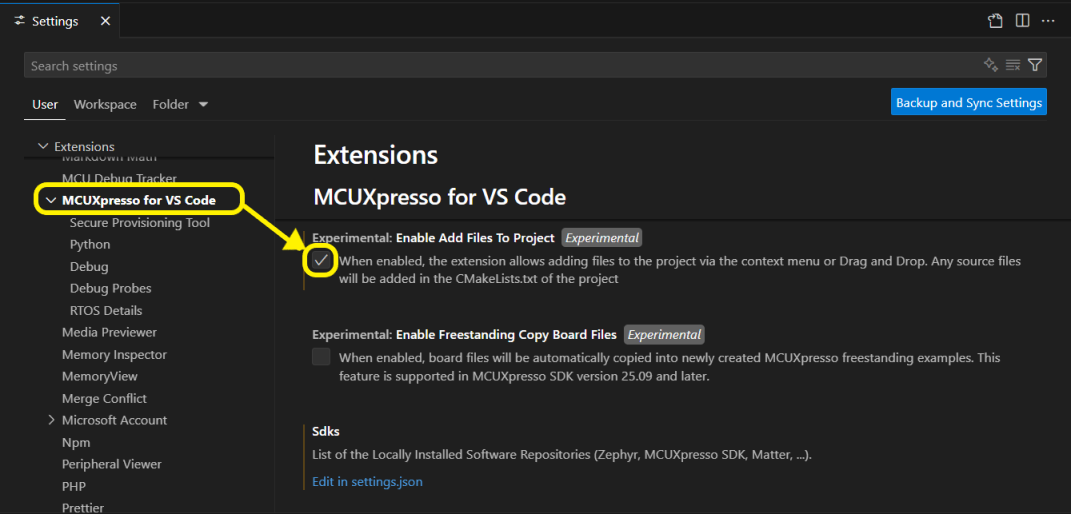
Adding Files to Project
Adding Files via Drag and Drop
You can drag and drop files or folders directly into your project. Here’s how it works: The extension will scan all the dropped files/folders and detect all the source files, even those nested within directories. At this point, the extension asks how to handle the sources, copy or link:
Copy: Source files are copied to the target location and added to CMakeLists.txt; all dragged files/folders even if not a source will be copied as well.
Link: Source files are not copied, but they are still added to CMakeLists.txt. nothing is copied inside the project.
Cancel: Aborts the drag and drop process.
If no source files were detected, all the dragged files and folders will simply be copied into the drop destination and CMakeLists.txt remains unchanged.
Adding Files via Project Context Menu
You can also add files using the “Add File(s) to Project” context menu option.
This context menu option is available:
At the project level: Files are added to the root of the project.
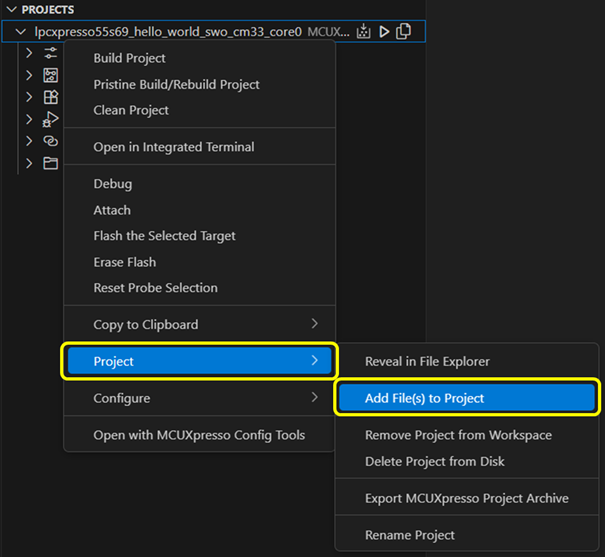
Inside the “Project Files” category: Files are added to the selected directory or linked relative to its location. This option is available for any directory.
This method only supports adding files (not folders). If source files are detected, you’ll be prompted to choose between copying or linking them. If no source files are found, the files are simply copied to the target location.
Updating CMakeLists.txt
All detected source files that were copied or linked to the project are automatically added to the project’s CMakeLists.txt. The inserted section is marked with timestamped comments at the beginning and the end of the block.
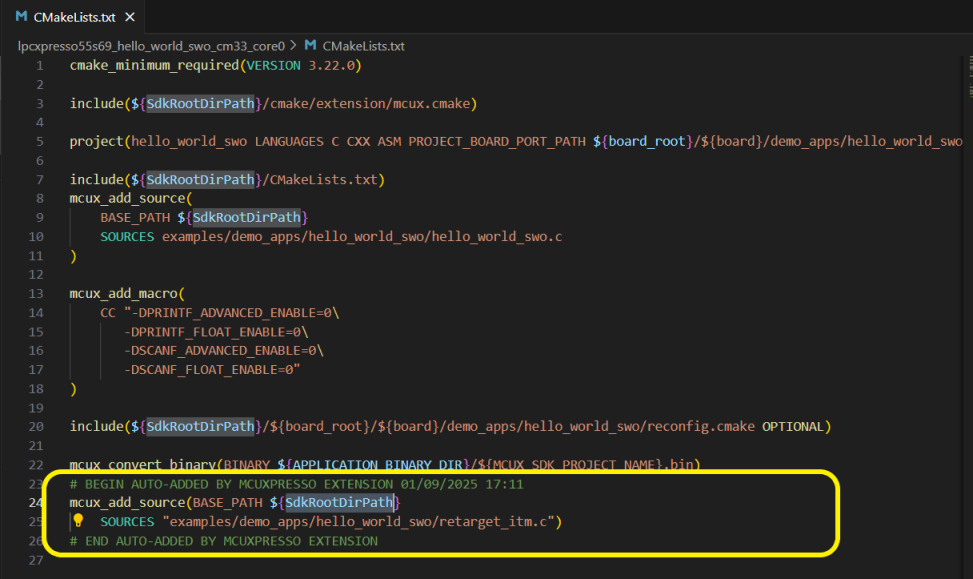
Source file entries added to CMakeLists.txt are relative either to the root of the project or to the SDK/repository, depending on their location. For all project types except Matter, if the added source file is located within the project’s SDK or repository, its entry will be relative to that location. Otherwise, the entry will be relative to the root of the project or the location of the CMakeLists.txt file.
Remove Files from Project
The Remove File(s) from Project menu item is available for any file or directory in the project.
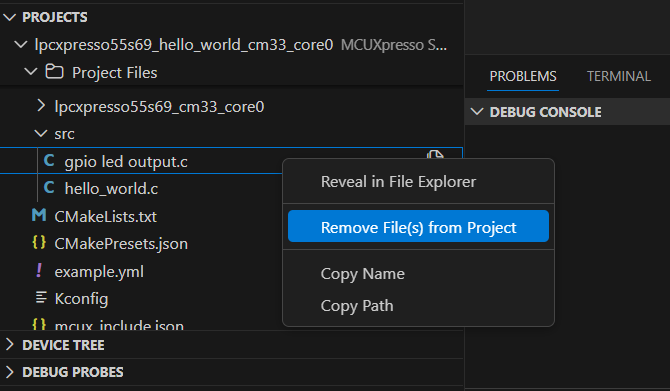
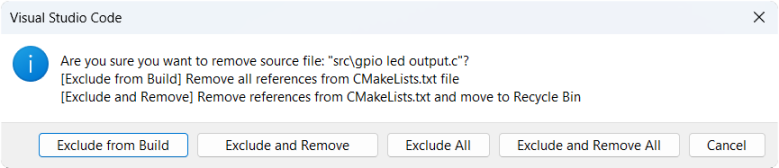
If the selected file is a source file, the user is prompted to choose one of the following options:
Exclude from Build
Exclude from Build and Remove (removing file will move the file to Trash/Recycle Bin).
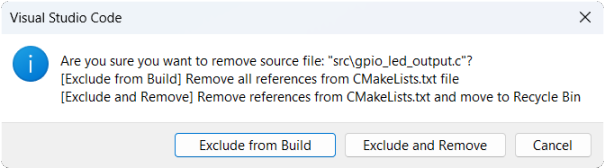
Excluding from build means deleting the file reference from the CMakeLists.txt file:
For the files that were added with the “Add File(s) to Project” feature or via drag-and-drop, the reference is removed automatically because it was added by the extension.
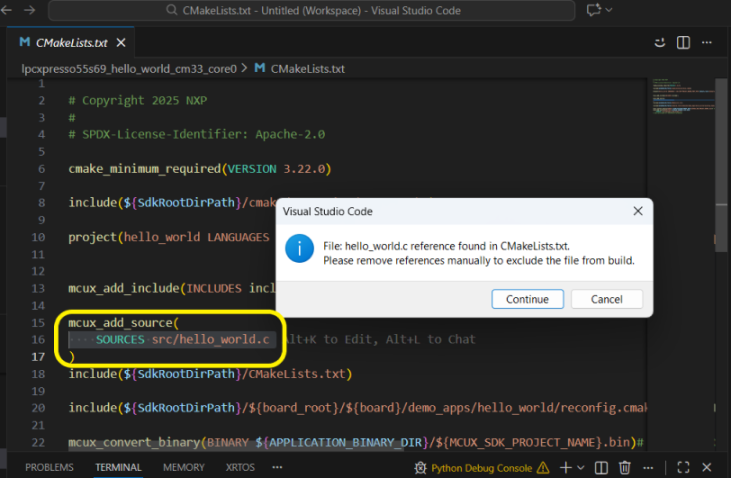
For other source files, all references found in CMakeLists.txt are displayed, the CMakeLists.txt file is opened in the editor, and the user decides whether or not to remove them.
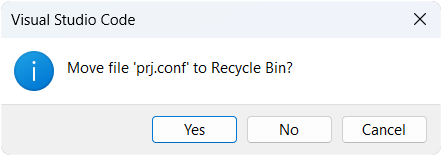
For non-source files, the user is prompted to confirm whether to move the file to Trash/Recycle Bin.
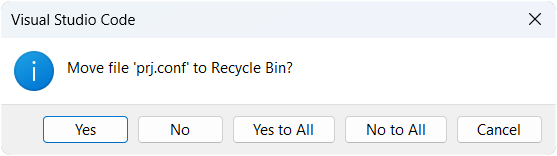
To prevent accidental deletion, the user is prompted on how to proceed for each file individually. When multiple files are selected, an option is available to apply the chosen action to all files.
Note: Currently, source files located outside the project directory and linked using “Add Files to Project” feature are not displayed in the PROJECTS view and cannot be removed through the UI. These files must be manually removed from CMakeLists.txt file if needed. A future improvement is planned to display all external entries and allow removal directly from the extension UI.