
Introduction#
MCUXpresso Config Tools is a set of tools for configuring NXP Cortex-M processors. To showcase some of its abilities, a simplified version of its Pins and Clocks tools is available online, at https://mcuxpresso.nxp.com:
The Pins tool allows you to configure pins routing and electrical properties.
The Clocks tool allows you to configure system clocks.
You can use the tools to evaluate chip features and capabilities and generate initialization code.
Minimum system requirements#
The following lists the minimum system requirements to run the software:
Internet connection for dynamic download from processor database
JavaScript-enabled web browser
Web Browser versions: Chrome 38
Display with resolution 1366 x 768
Start MCUXpresso Config Tools#
You can inspect device configuration in the online version of Pins and Clocks tools once you have selected a device, board, or a kit.
Visit mcuxpresso.nxp.com.
Click Select Development Board and log in.
Select the device of your choice from the Select a Device, Board, or Kit dropdown list or filter by name in the Search by Name field.
Once the device is selected, select Board Configuration and then the Explore selection with Pins tool to open the device configuration in the Pins tool, or Explore selection with Clocks tool to open it in the Clocks tool.
Note: You can always switch between the tools.
Note: All the tool settings are stored within the configuration.
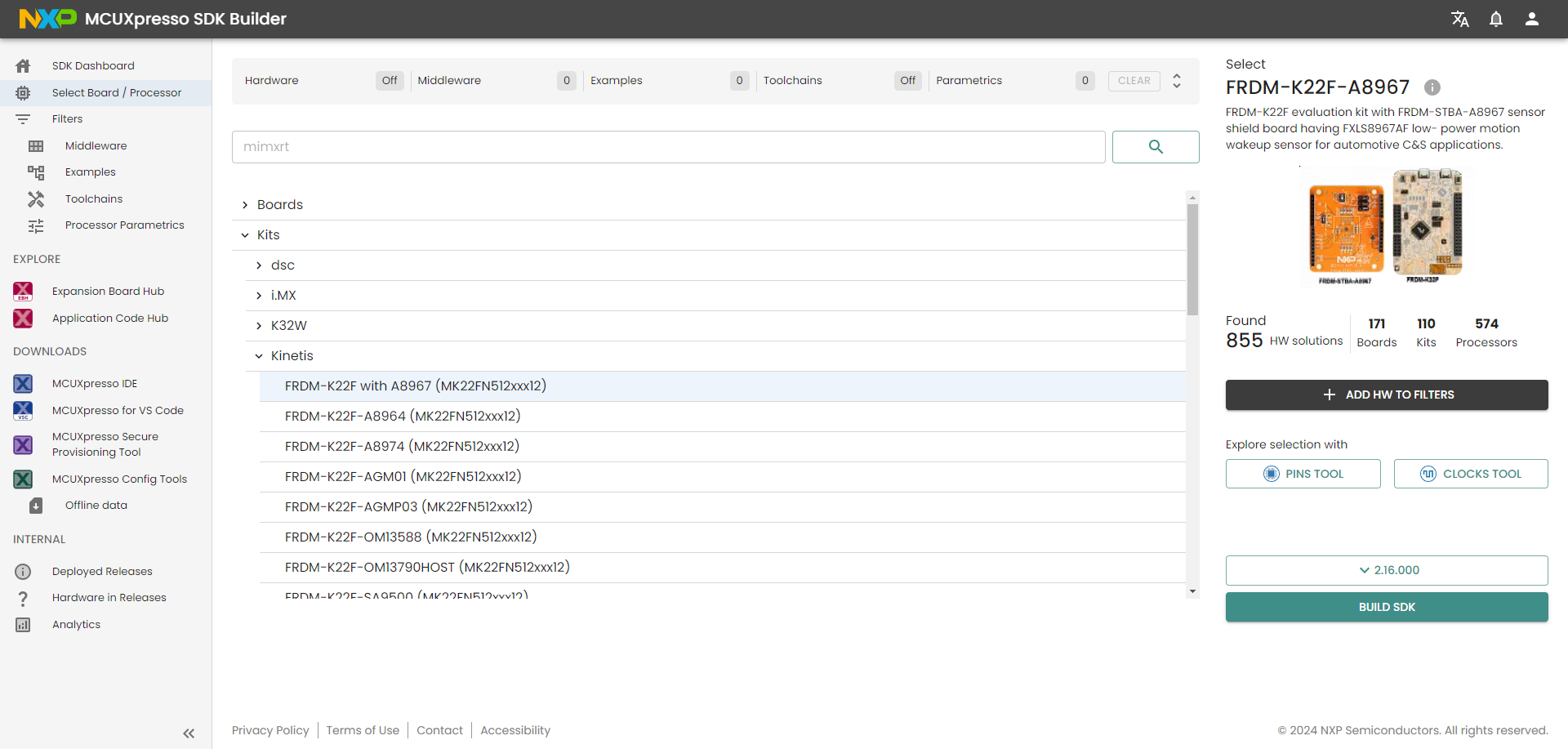
Development board selection#