
Setup – SEGGER Ozone#
Ensure the J-Link patch is installed, refer to the patch install section in this guide.
Ozone v3.50 or later is recommended.
RAM ONLY targets#
No special setup is needed. Pick MIMXRT2663xxxxx_M85, create a project, download the ELF, and debug.
Note: for
psram_only, a one-time preparation step is required before the first debug session – the SDK auxiliary image must be programmed so that Boot ROM initializes PSRAM on every reset. Without this, the debugger cannot download to PSRAM. See the RAM ONLY Targets section of this guide for the steps.
Unified Linkage targets#
Applies to all five Unified Linkage targets.
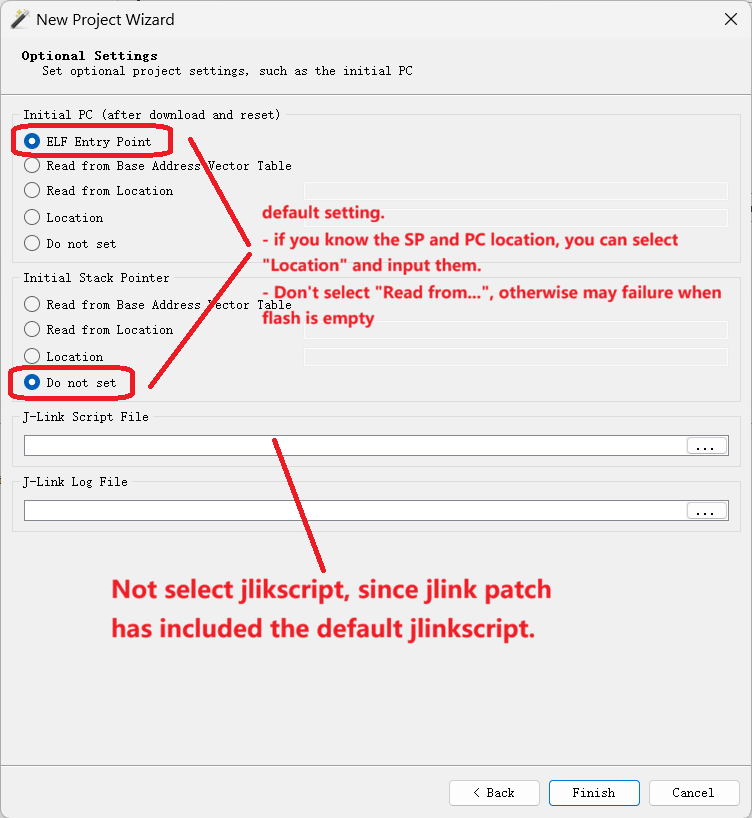
Step 1: PC / SP configuration#
Set PC and SP in the New Project Wizard as shown:
Step 2: Save the project, then hand-edit .jdebug#
Critical. After saving through the GUI, open the .jdebug in a text editor and apply the edits below:
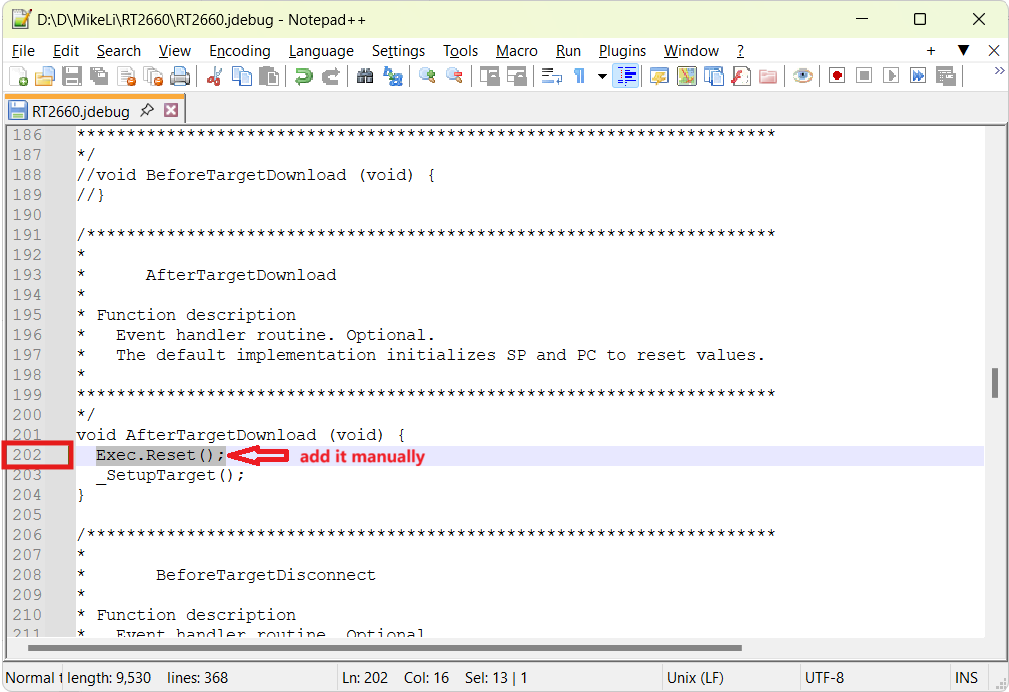
Tip: the
.jdebugis a one-time setup. For subsequent debug sessions with a different ELF, open the same.jdebugproject in Ozone and load the new.elf/.out– no need to re-create the project each time.
Step 3: Debug and Attach#
Once the .jdebug edit is done:
Debug – Ozone programs XSPI NOR then starts execution.
Attach – connect to a target that’s already running.
Known issues#
Source view incorrect on debug / psram / psram_txt targets with IAR ELF: When an IAR-built ELF is loaded in Ozone for these targets, the source view may show the wrong line or fail to follow the PC. Cause is a DWARF compatibility issue between IAR-generated ELFs and Ozone. Registers, disassembly, and memory windows are unaffected.