Setup – IAR EWARM#
Build#
Open the SDK example’s .eww, pick a target from the configuration dropdown, and build.
Debug inside IAR EWARM (C-SPY)#
Before starting a C-SPY debug session, ensure the IAR patch and J-Link patch are both installed. Refer to the patch install page in this guide for details.
Using a CMSIS-DAP probe (default)#
Project -> Options -> Debugger -> Driver = CMSIS DAP (SDK default).
Download and debug.
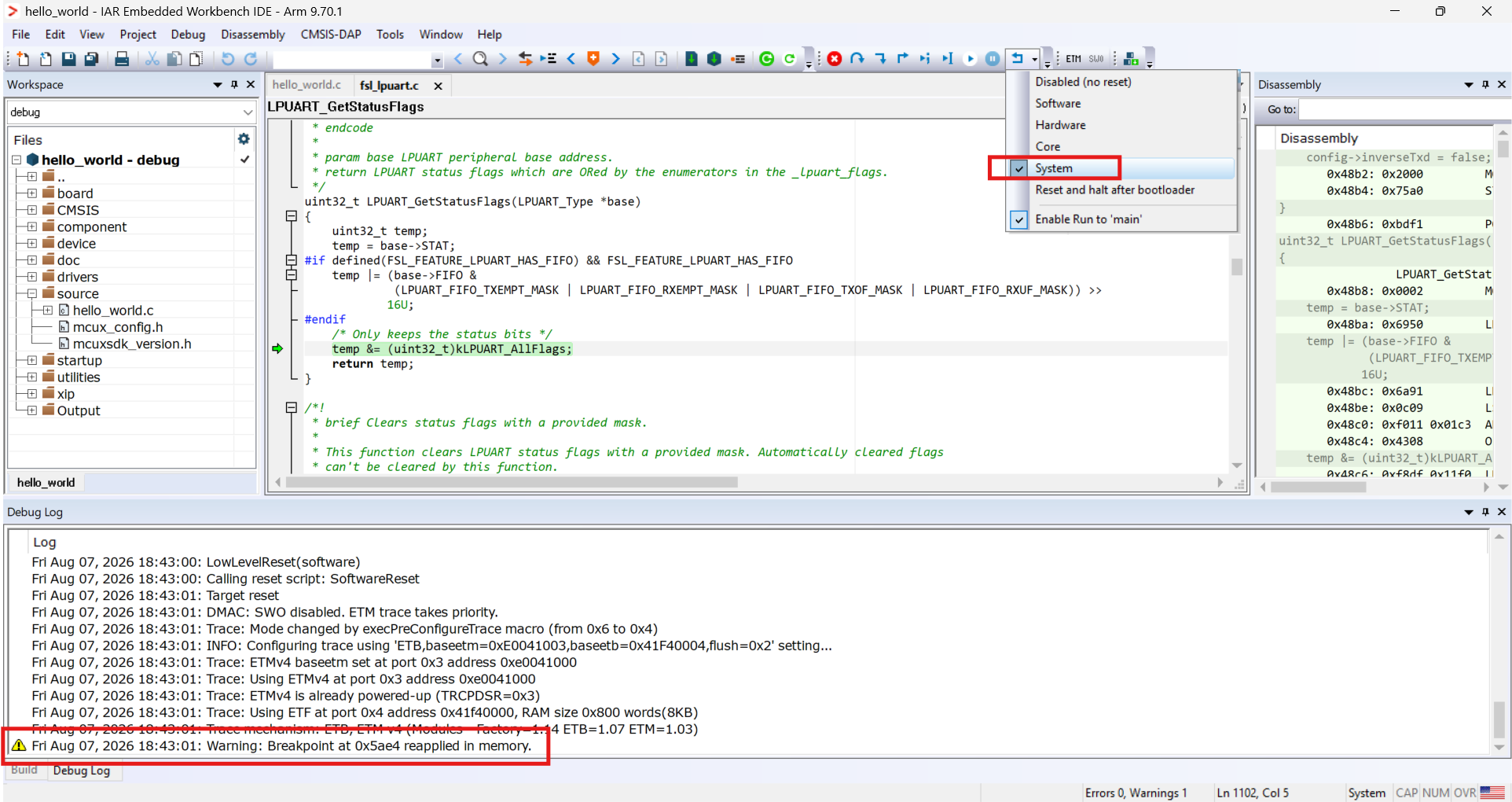
Note: to reset the system in a debug session, set the reset type to System (as shown above). The debug-log line
Warning: Breakpoint at 0xAAAA reapplied in memoryis expected and is not a bug.
Using a J-Link probe#
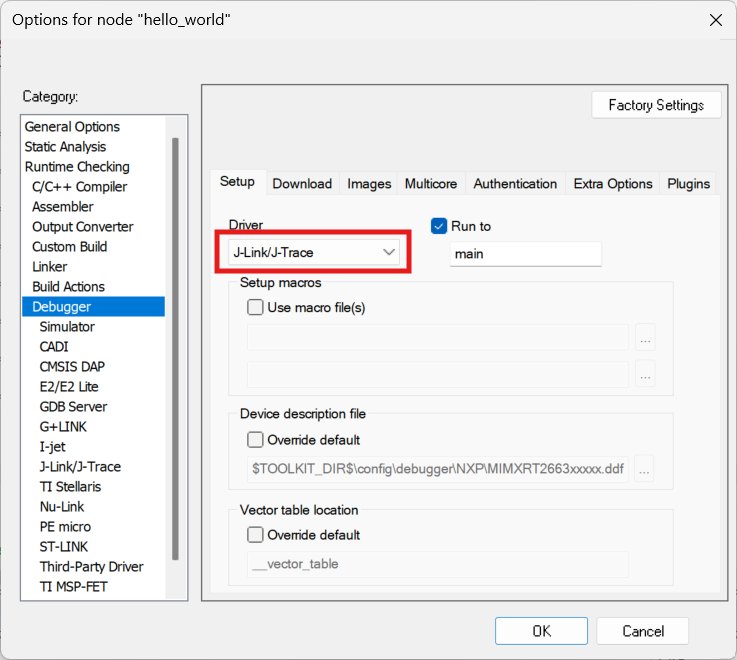
Project -> Options -> Debugger -> Driver = J-Link/J-Trace, as below.
Download and debug.